
Three tasks before puck drop
Medical alerts, arena and kit, the emergency plan. Any order, saved as you go — and you can start with tasks still open.
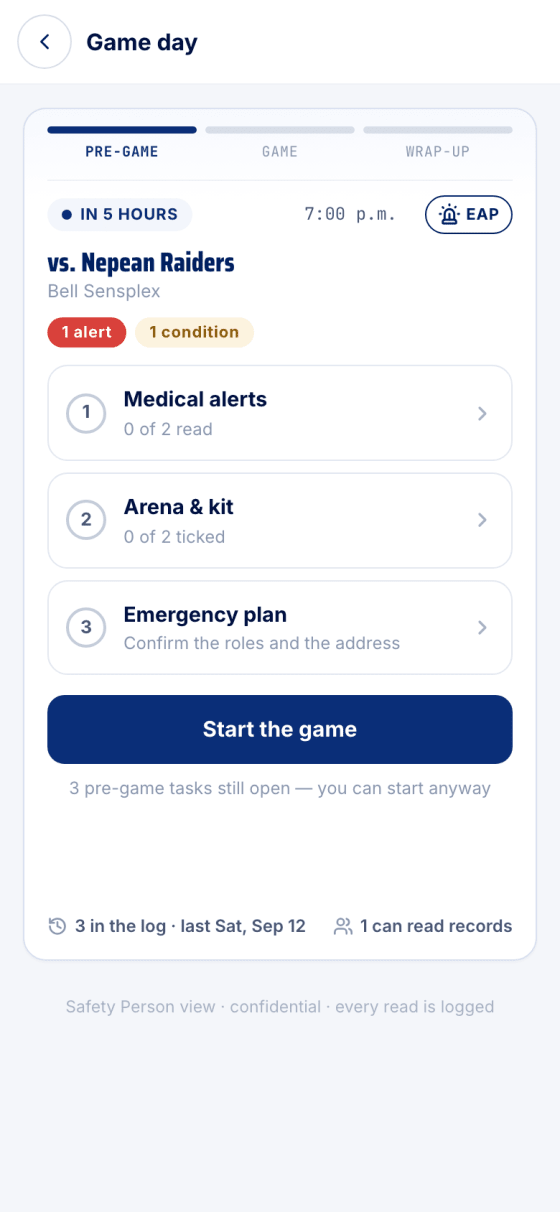
Three pre-game tasks, one Start button, and a bench that logs an injury in two taps.
Medical alerts, arena and kit, the emergency plan. Any order, saved as you go — and you can start with tasks still open.
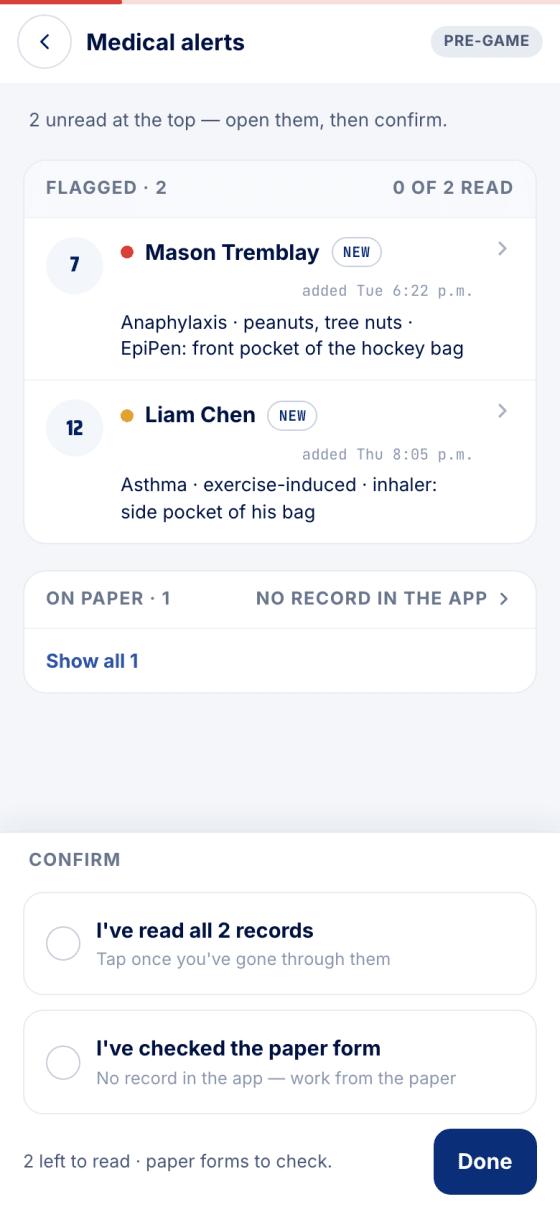
Flagged kids at the top, with the alert and where the medication is. Confirm you've read them, and checked the paper forms.
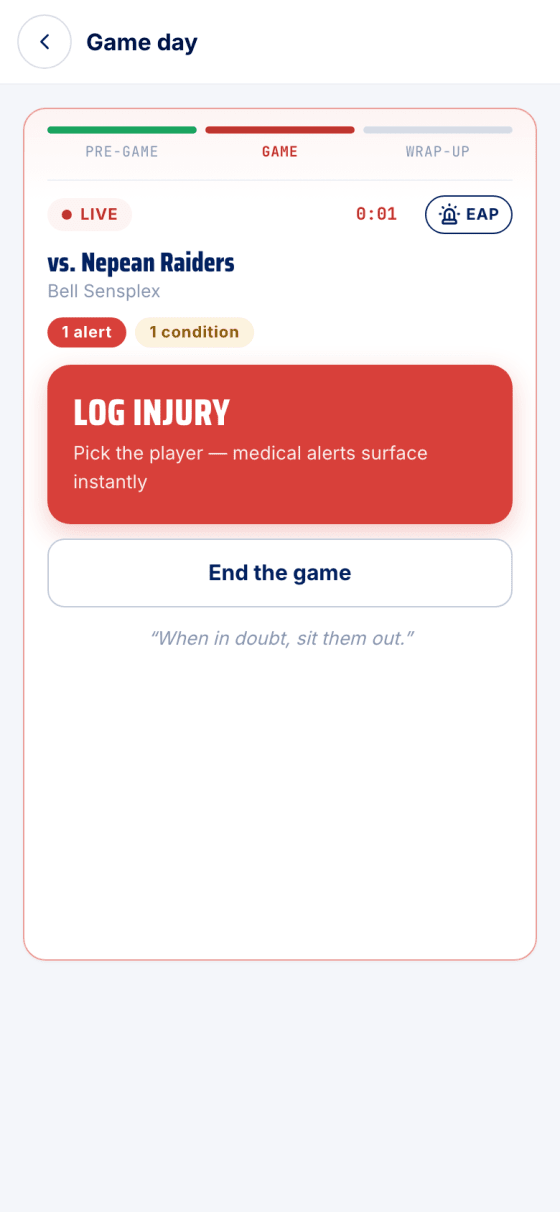
A running clock and Log injury: pick the player and their alerts come up instantly. End the game at the buzzer.
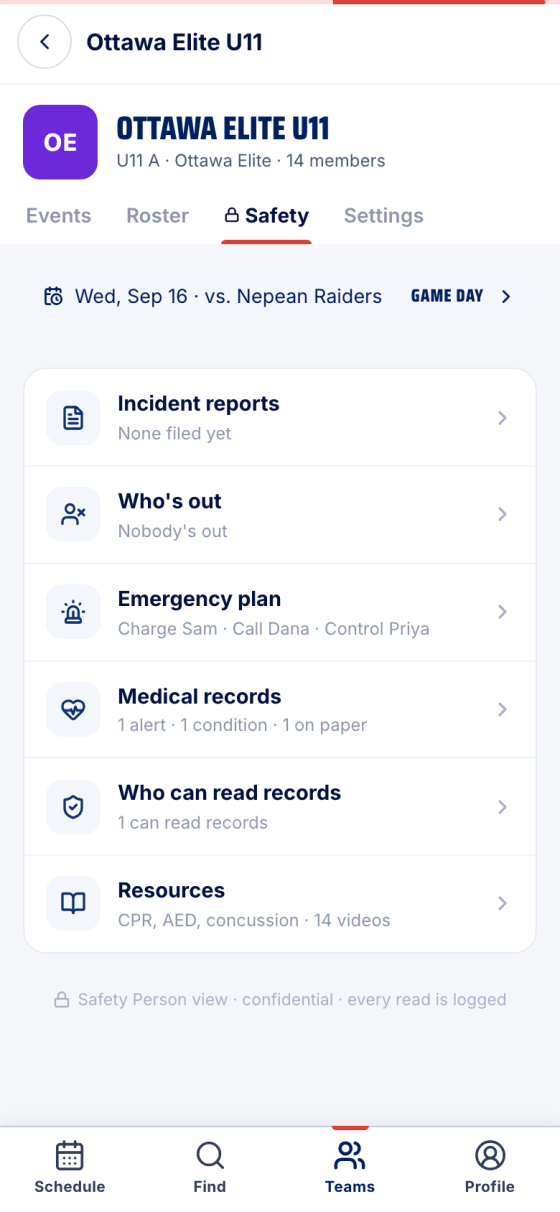
Incident reports, who's out, the emergency plan and the records, in one tab. Every read is logged for the parent.
Real screens, sample data.
Read the full guide Your first five minutes as a safety person
Made in Canada. No ads.
Sign up freeTeams are rolling out by invitation. Find yours or request it.