
Reference · 2 min read
Who gets pinged when you post
Three ways to post in a team chat, and exactly who hears about each one. Read it once and nobody on your team says “I never got it” again.
Help › Who gets pinged when you post
Step by step
Tap a screenshot to see it full size.
- Everyone picks a level
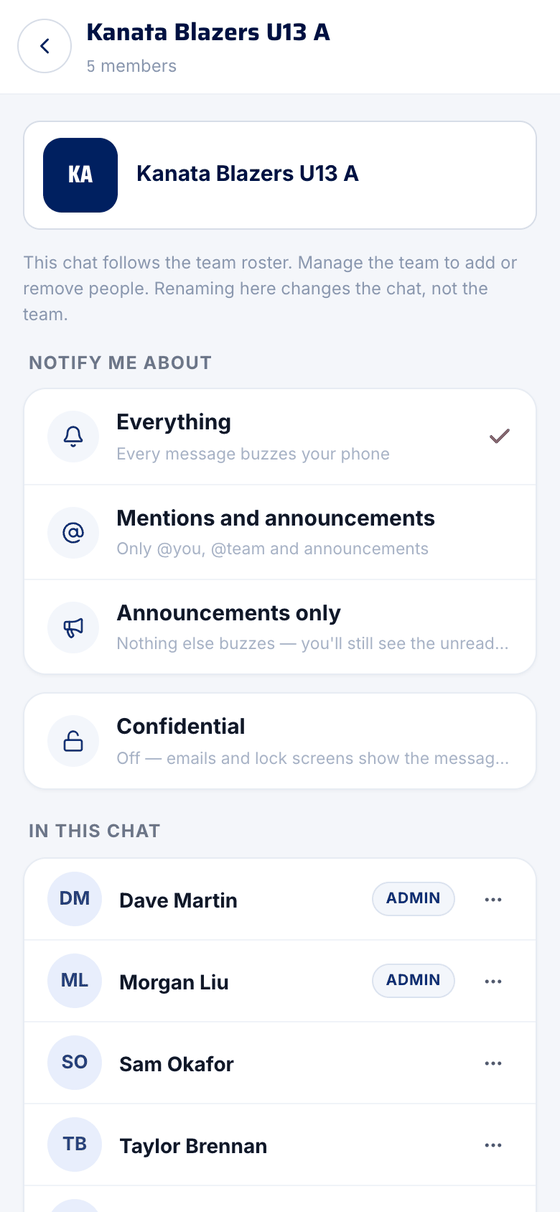
Open the chat → tap its name → Notify me about. Everything (the default) buzzes for every message. Mentions and announcements buzzes only for @you, @team and announcements. Announcements only is what mute means: nothing buzzes except an announcement. The messages are all still there when you open the chat.
- A plain message, or @team
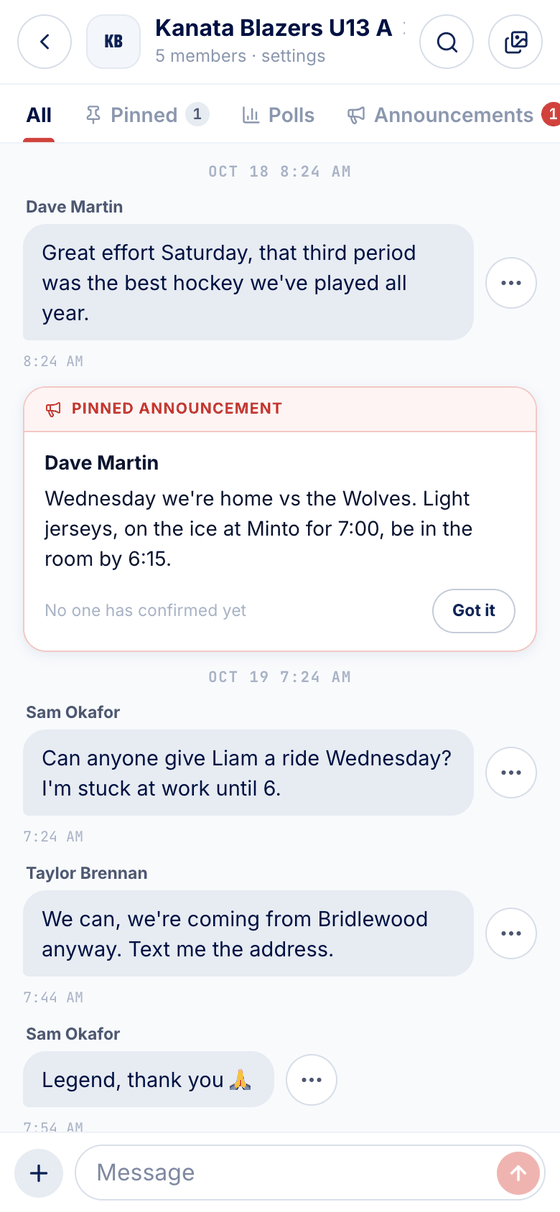
Type in the box and send. A plain message reaches everyone on Everything. Put @team in it (or @name for one person) and it also reaches people on Mentions and announcements. Nothing you type can reach someone who chose Announcements only — that is their choice, not a glitch.
- An announcement
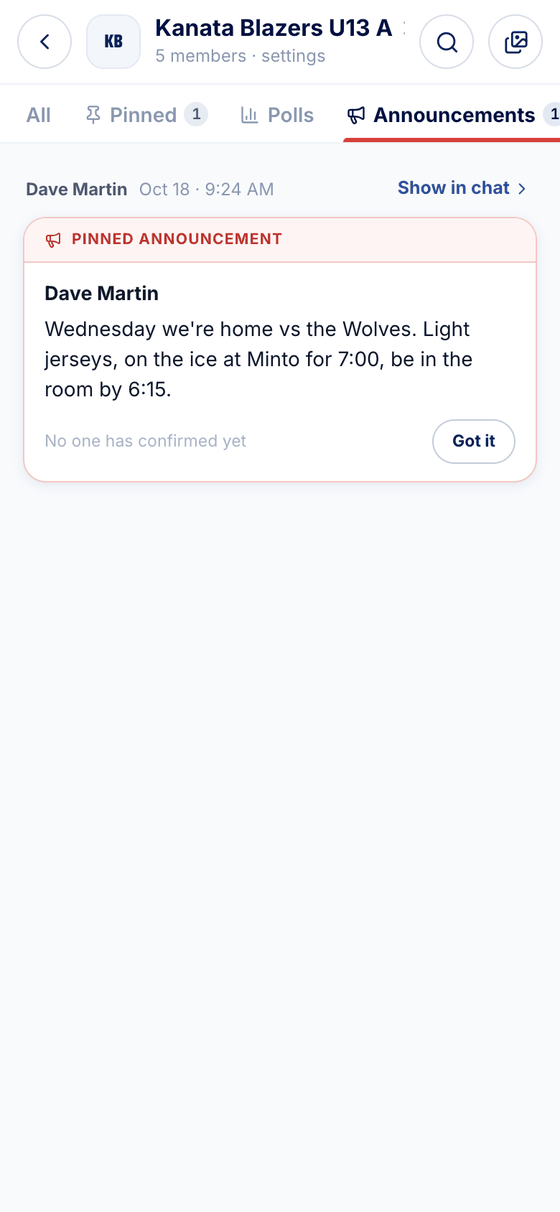
The + beside the message box → Announcement. It reaches everyone, muted or not, and emails the whole team as you — right away, or in the 5:30 pm catch-up if you pick that when you post. Readers tap Got it, so you can see who has. Admins and coaches can post one; everyone can read them later under the Announcements tab. It can carry a subject, formatting and files: An announcement that reads well.
At a glance
- Plain message. Push to everyone on Everything. No email on its own; if it is still unread at 5:30 pm it is in that person's daily catch-up.
- @team or @name. Push to everyone on Everything plus Mentions and announcements (for @name, just that person). If they have not read it after 10 minutes, one email goes out right then; otherwise it rides the catch-up.
- Announcement. Push to everyone, mute or not. Email to the whole team, right away as you, or in the 5:30 pm catch-up if you choose that when posting.
The fine print
- You never get a notification for your own post. Check Seen by, or Got it on an announcement.
- Anyone who has the chat open at that moment is not buzzed. They are already reading it.
- Roster parents who have not joined PuckFinder yet still get the chat by email: announcements the moment they are posted, everything else in the 5:30 pm catch-up.
- The catch-up is one email per person per day, only if something is unread, and only for people on Everything (or anyone who was mentioned).
- Chat does not send text messages today.
Questions
I posted and got nothing myself. Did it go out?
Yes. The sender is left out on purpose. Open the chat and look under the message: Seen by lists who has read it, and an announcement shows who tapped Got it.
A parent says they never get anything.
Ask them to open the chat, tap its name and look at Notify me about. Announcements only is mute. Then check the phone itself: Settings → Notifications → PuckFinder must be allowed. Either way, an announcement still reaches them by email.
@team or an announcement?
@team for the people who are paying attention: a ride for Wednesday, who has the pucks. An announcement for what every family must act on: a time change, dress code, the arena moved. An announcement is the only post that gets past mute, emails everyone, and counts the Got its.
Where does each person choose push, email or the 5:30 email?
Profile → Notifications. Messages and Announcements each have their own line there. See Choose how you're notified.
Can a parent post an announcement?
No. Admins and coaches post announcements. Anyone can use @team.
Stuck?
Email john@puckfinder.app — a real person, usually the same day.