
Video · 1:17
Who can see your kid's record
You decide which team's safety person can read it, you sign for it, and you see every time somebody opens it.
Help › Who can see your kid's record
Step by step
The same flow as the video, in writing. Tap a screenshot to see it full size.
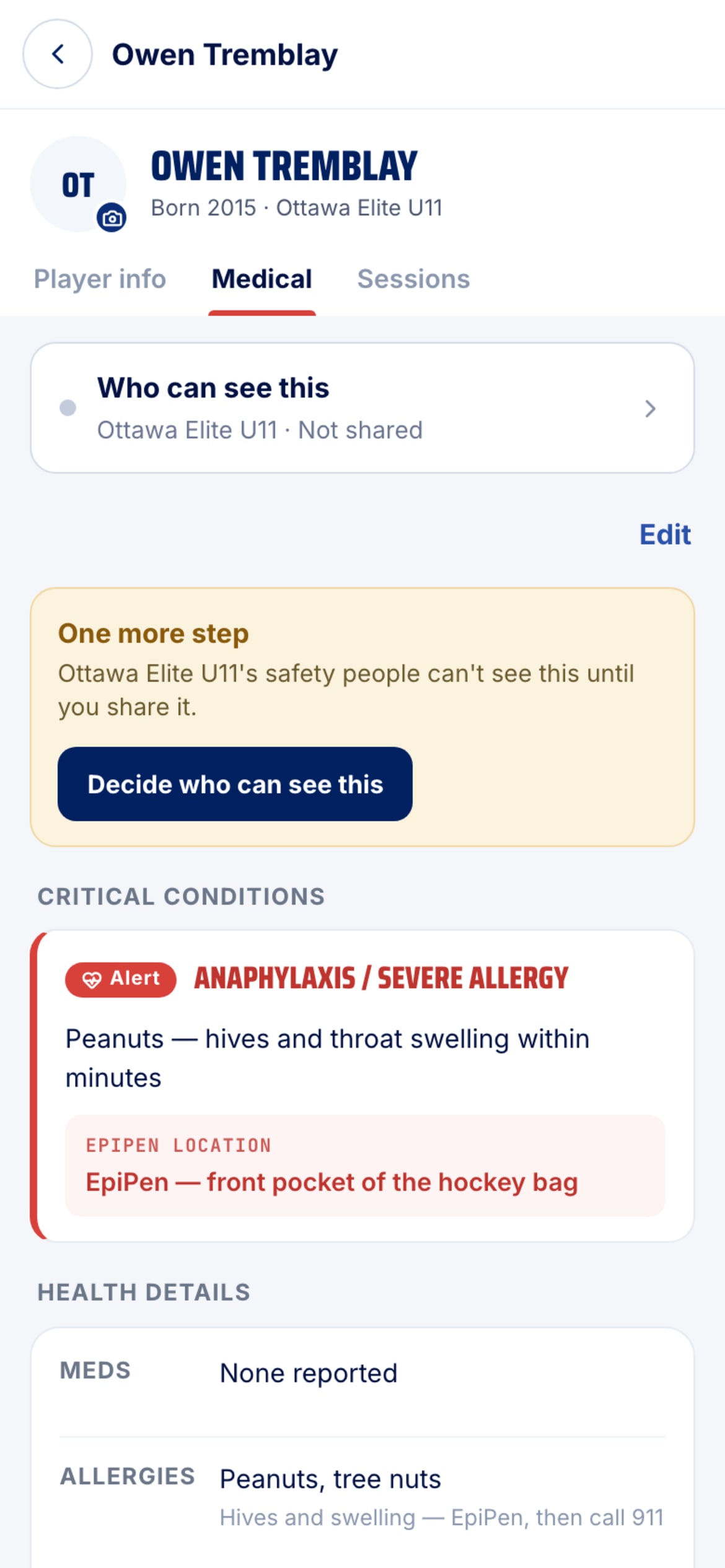
- Where you decide
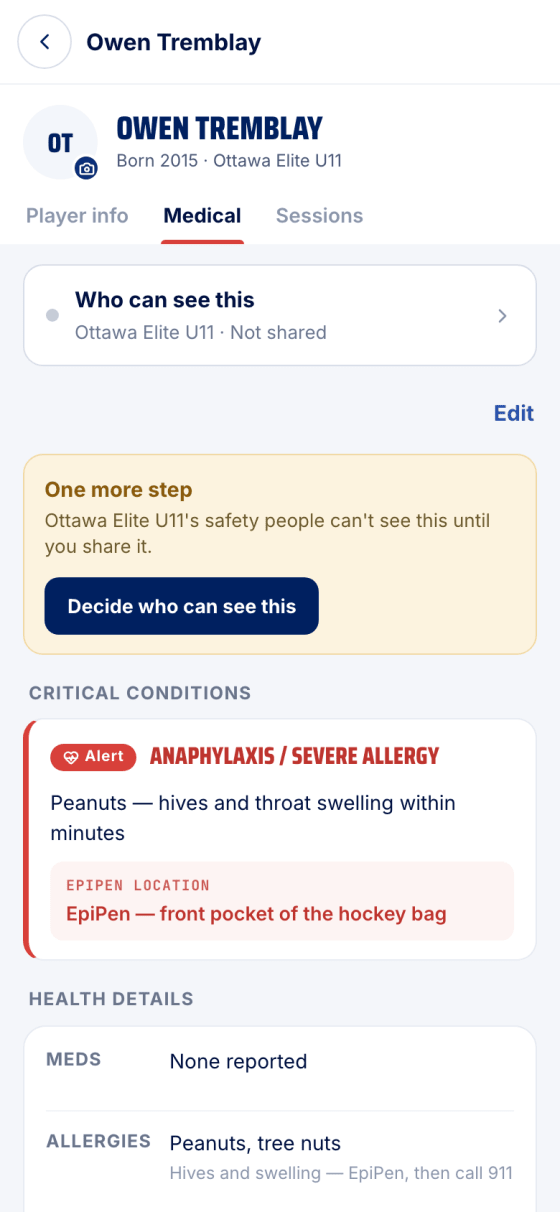
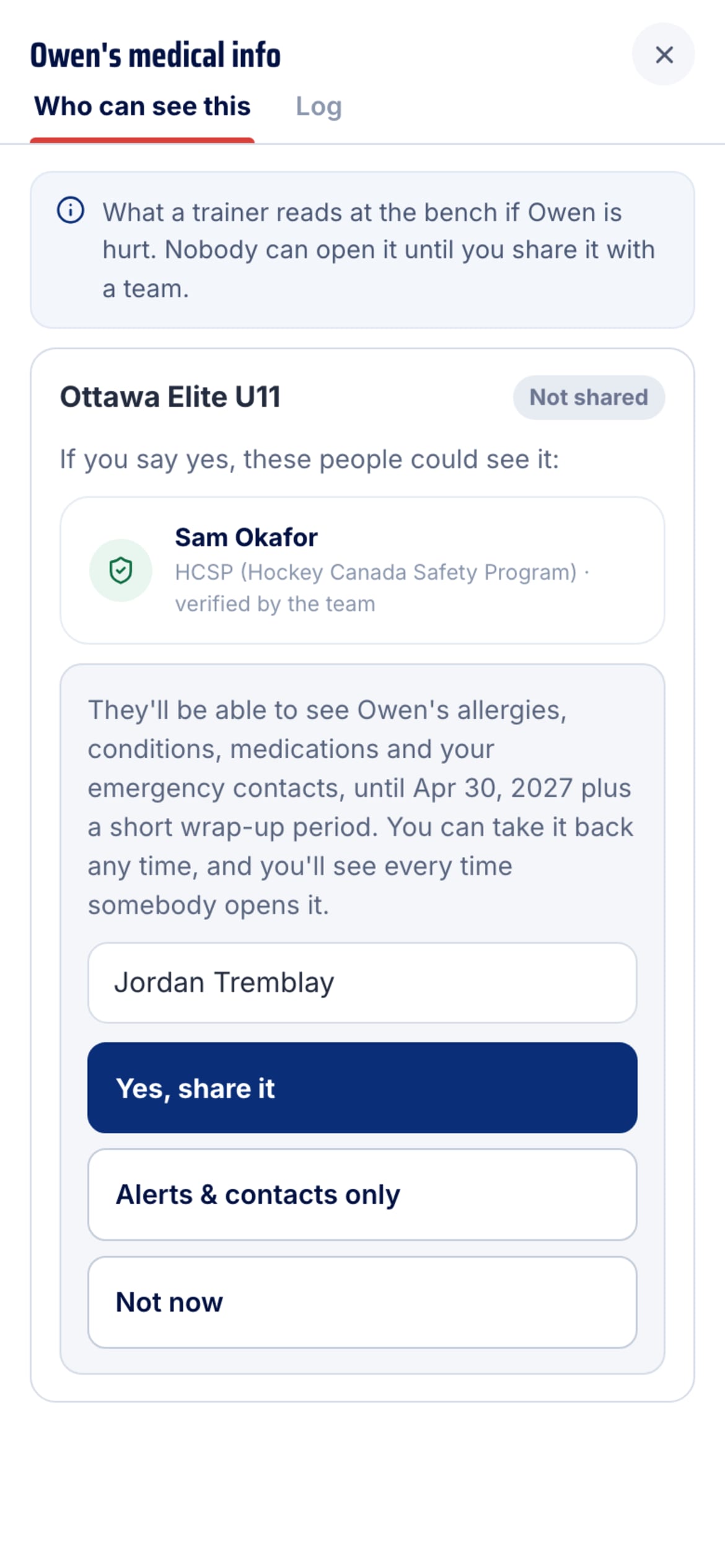
At the top of the Medical tab, Who can see this lists each team and whether the record is shared with it. Not shared means nobody on that team can open it.
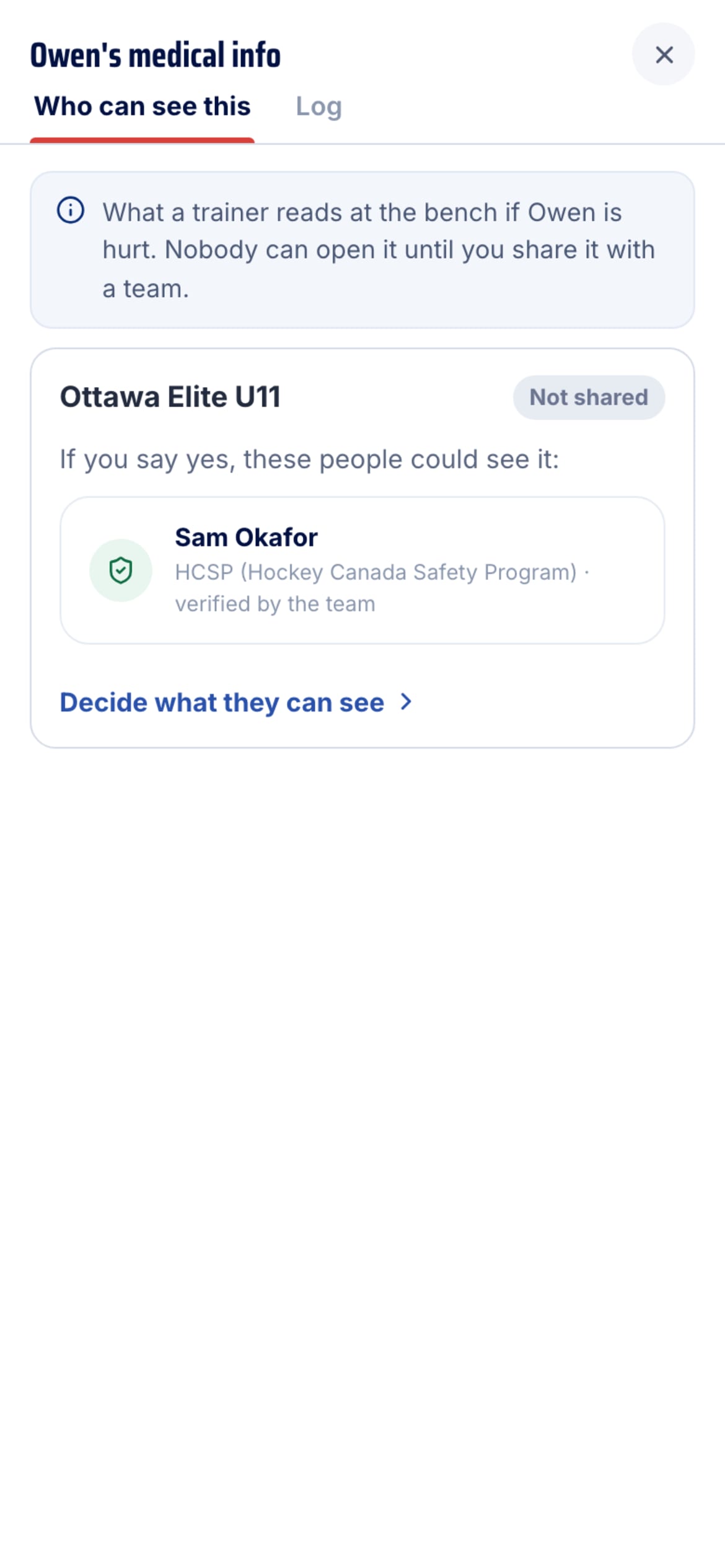
- Who would be reading
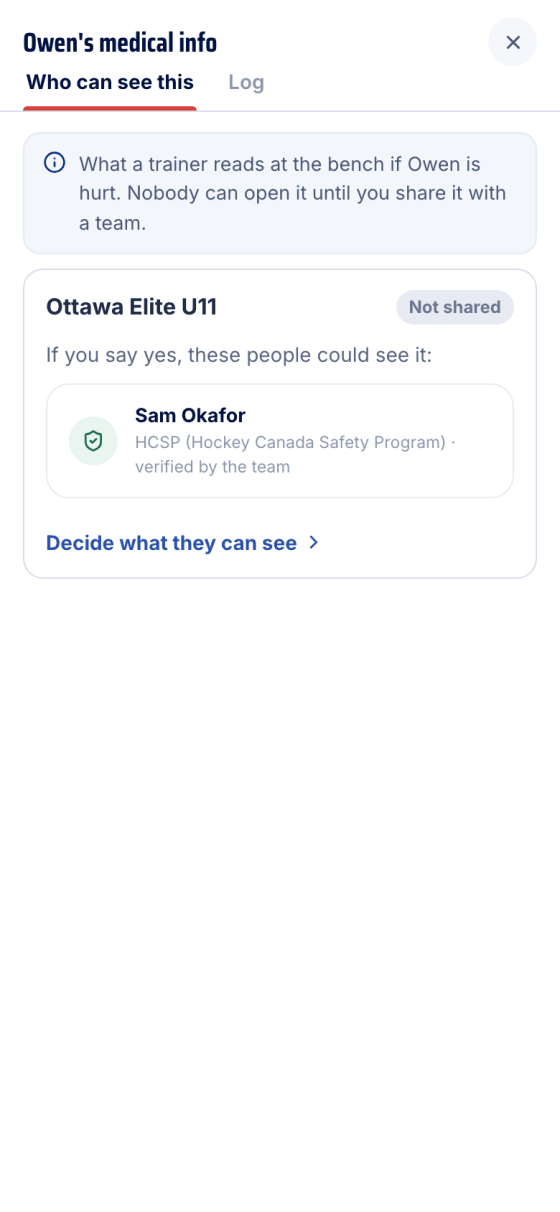
Tap it. The team's safety people are listed by name and qualification, verified by the team, before you decide anything.
- Sign for it
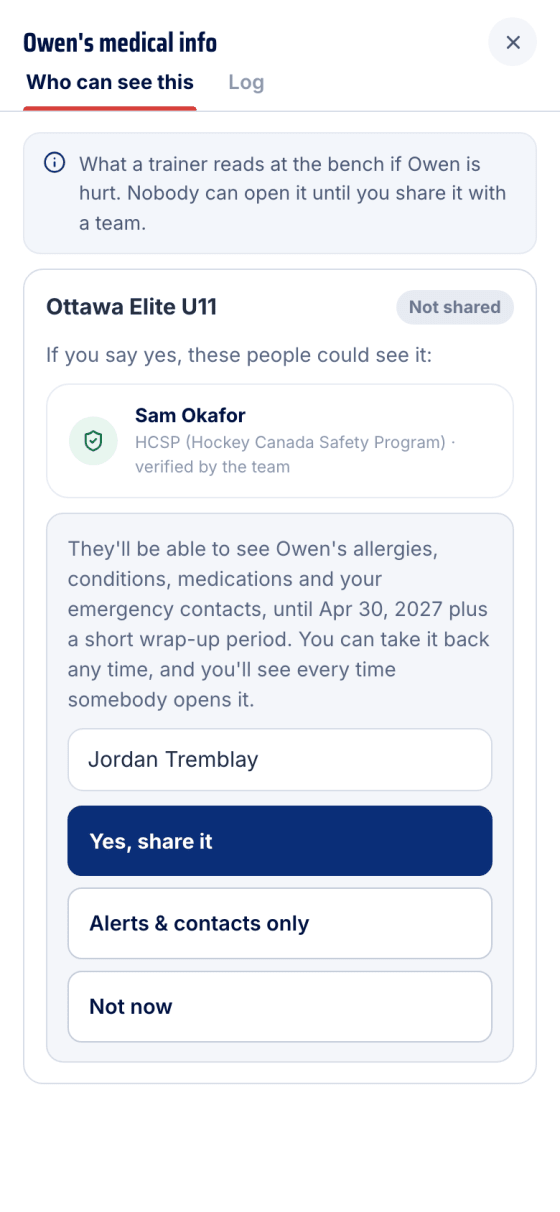
Decide what they can see explains what's shared and until when. Type your name, then pick Yes, share it for the full record or Alerts & contacts only. Not now leaves it closed.
- It's shared
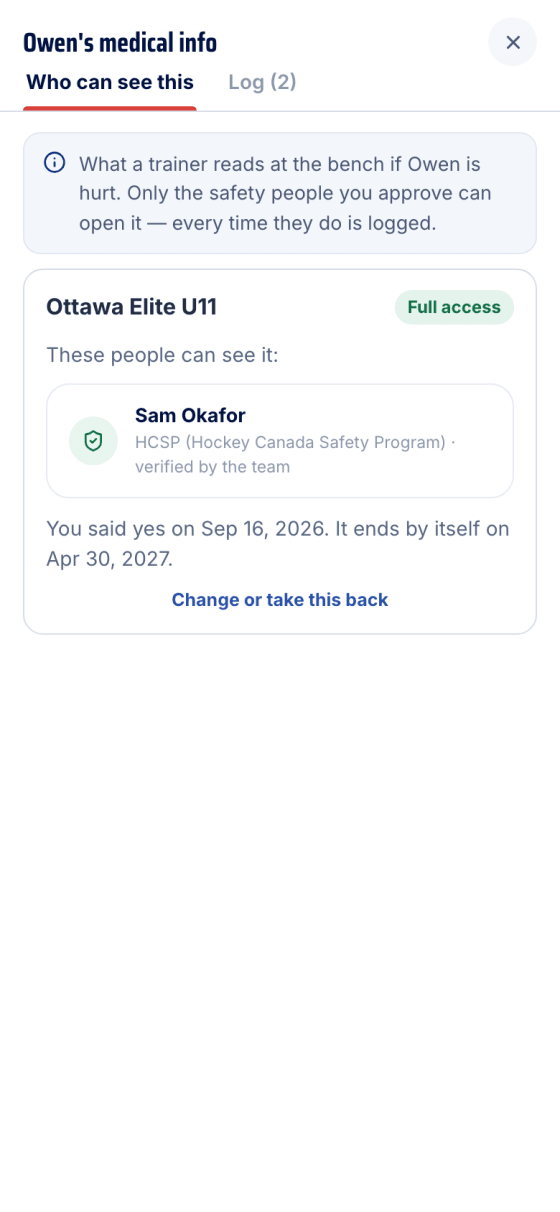
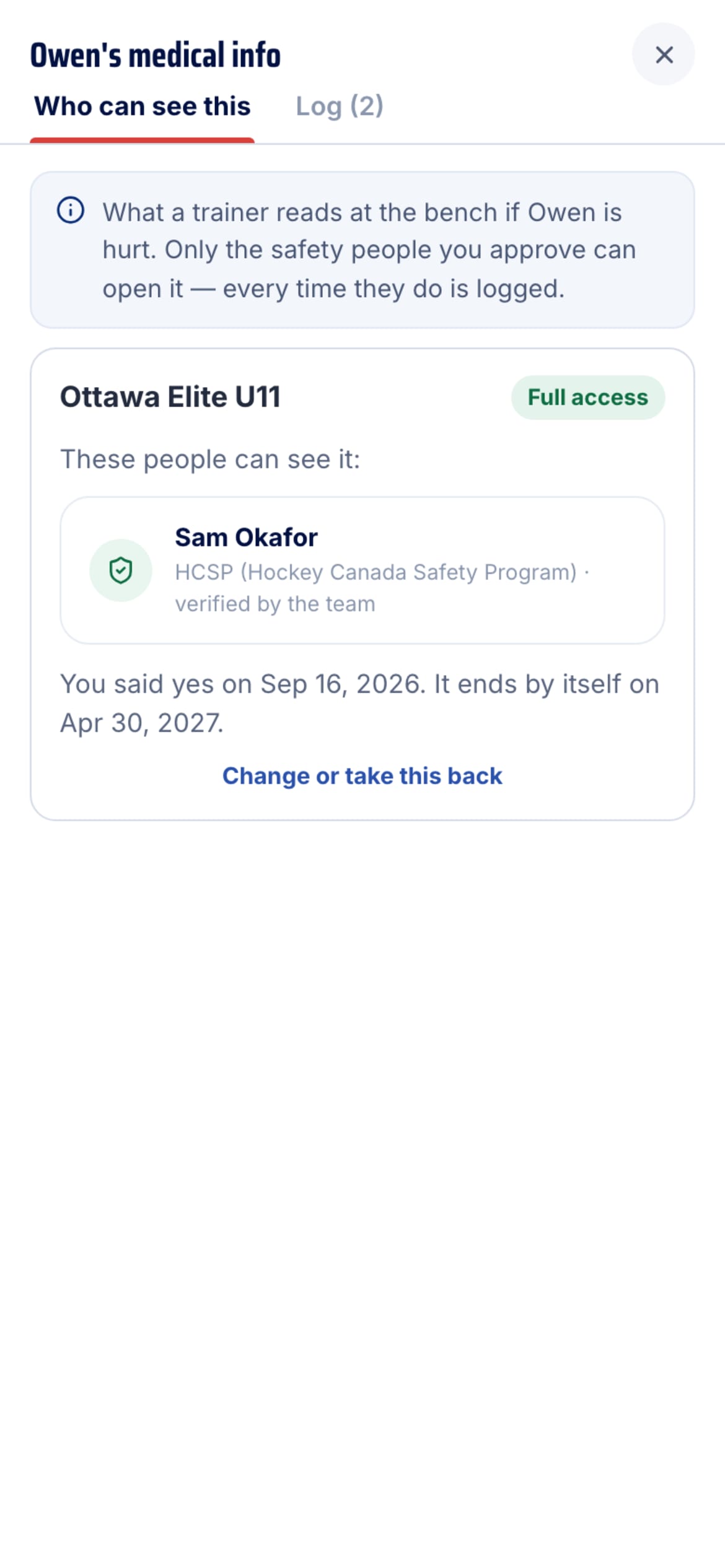
The card shows Full access and the date it ends by itself. Change or take this back stops it immediately, any time.
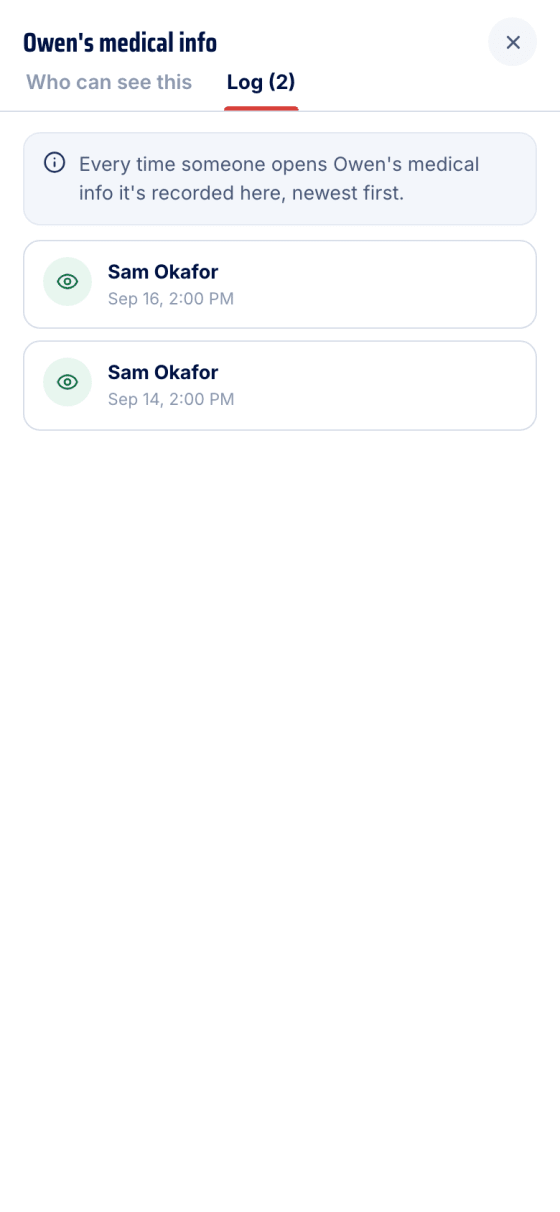
- The log
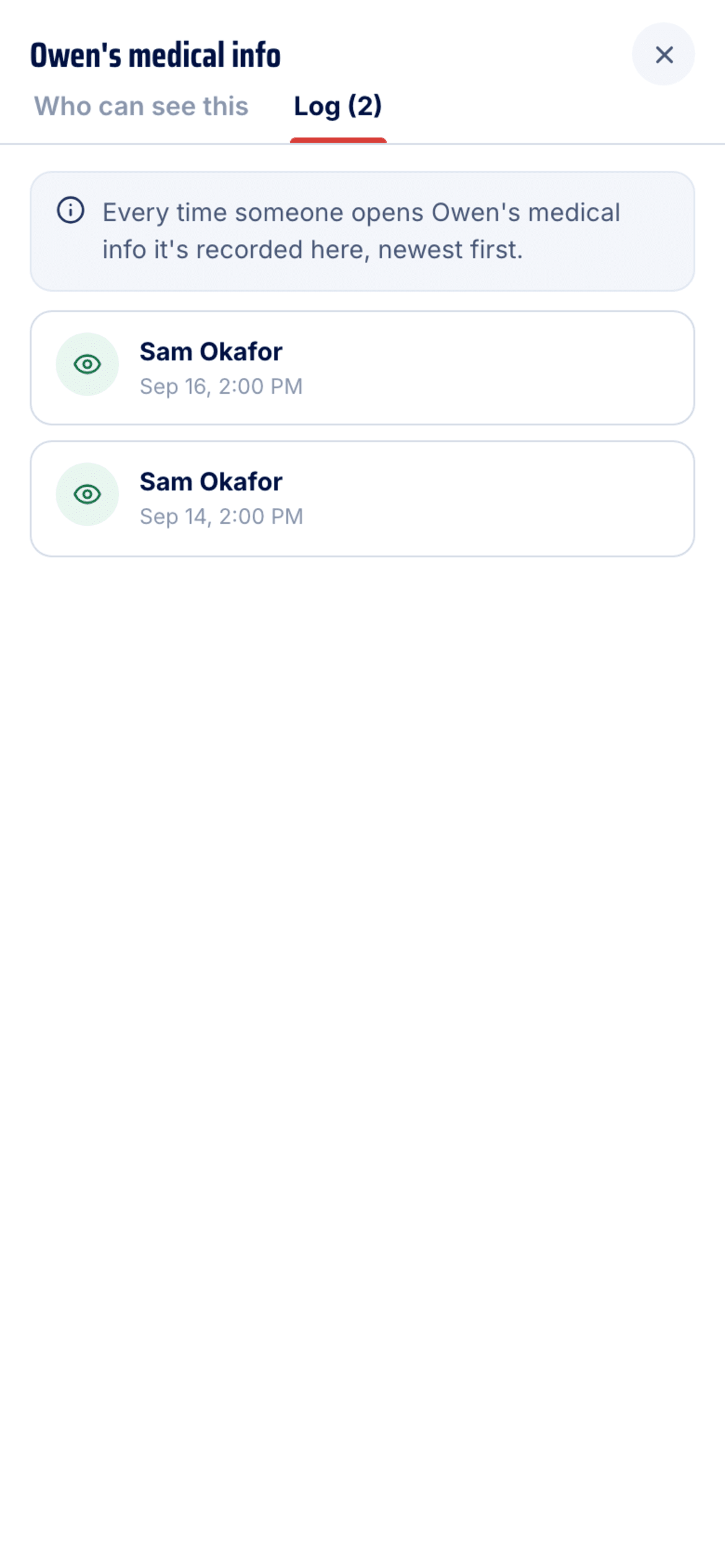
The Log tab records every open, newest first — who and when. Emergency access is marked, with the reason they gave.
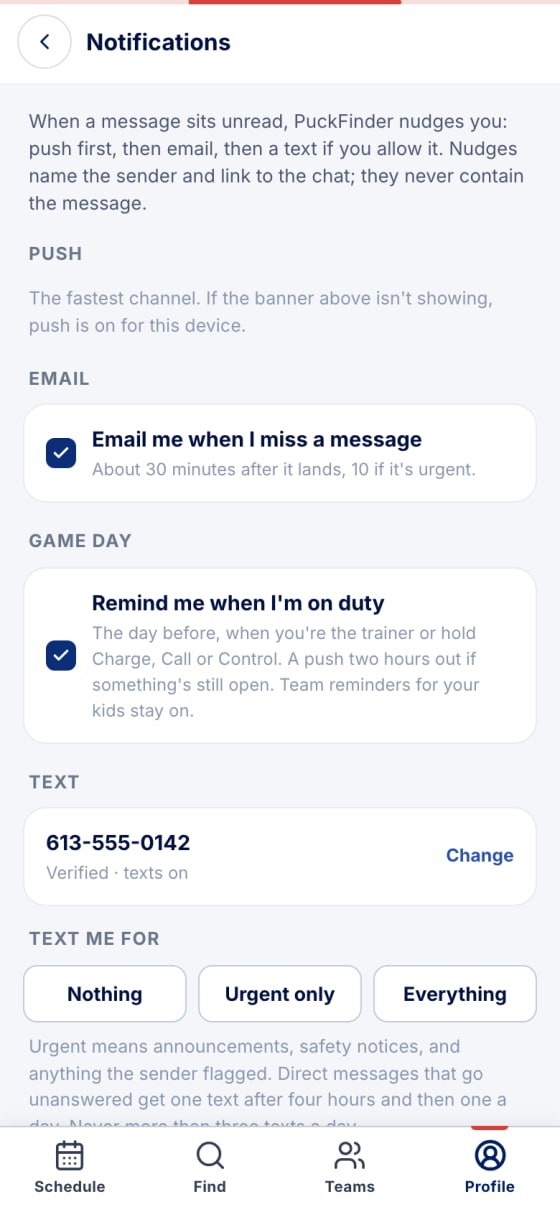
- How PuckFinder reaches you
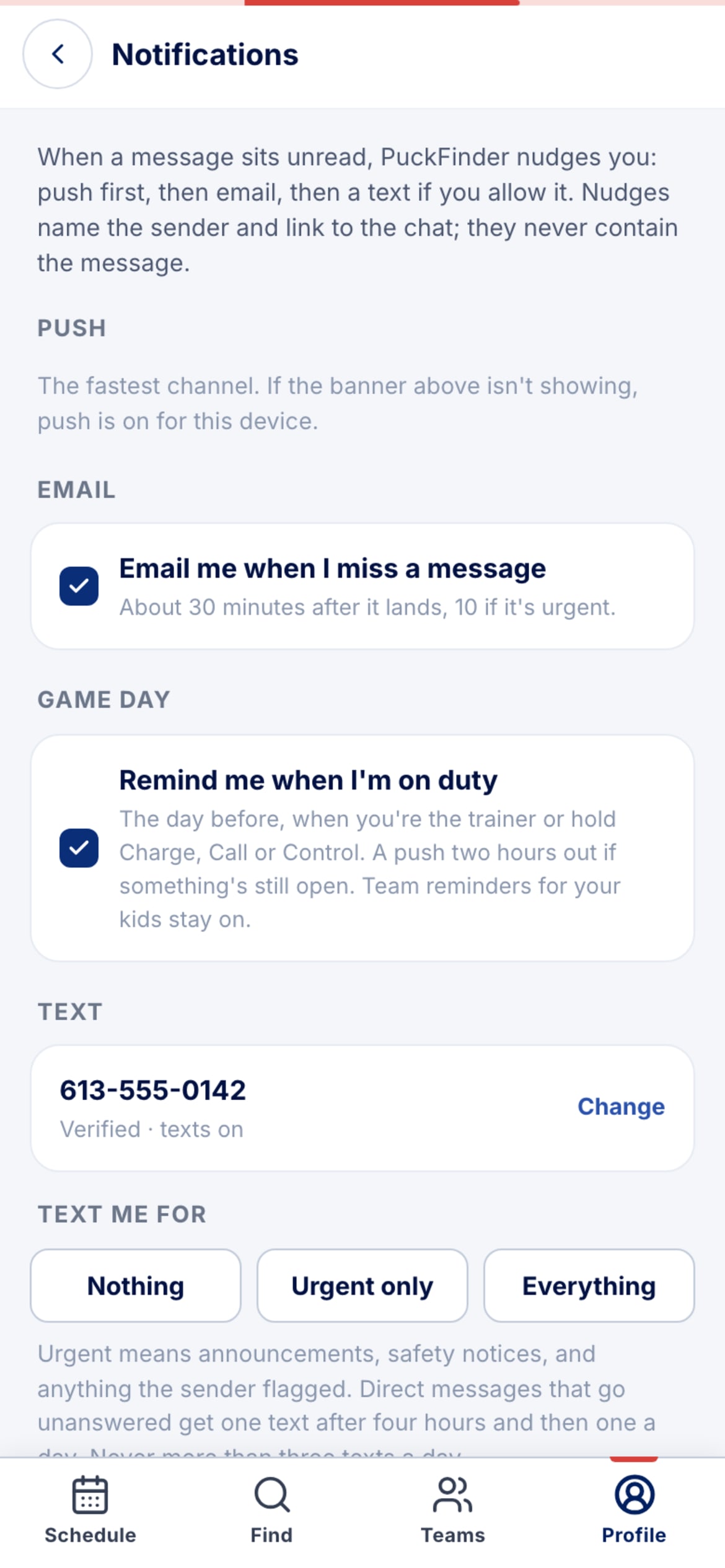
Profile → Notifications. Push first, then email if you miss it, then a text if you allow it. Remind me when I'm on duty is for the days you're the trainer.
Two levels of sharing
- Full record — conditions, allergies, medications, notes and your contacts.
- Alerts & contacts only — the life-threatening flags and who to call, nothing else. The trainer is told to treat everything else as unknown.
Sharing ends by itself at the end of the season, and Change or take this back stops it immediately at any time.
Stuck?
Email john@puckfinder.app — a real person, usually the same day.