
Team managers · 2 min read
An email to some of the team
A gift collection, a sensitive note, a word to a few families: write it once in New announcement, leave anyone out, and it goes by email only — from you, replies to your inbox, nothing in the chat.
Help › An email to some of the team
Step by step
Tap a screenshot to see it full size.
- Start an announcement
In the team chat, tap + then Announcement. Or from Messages → New message: an Announcement row for every team where you may post one. Team managers and coaches have it.
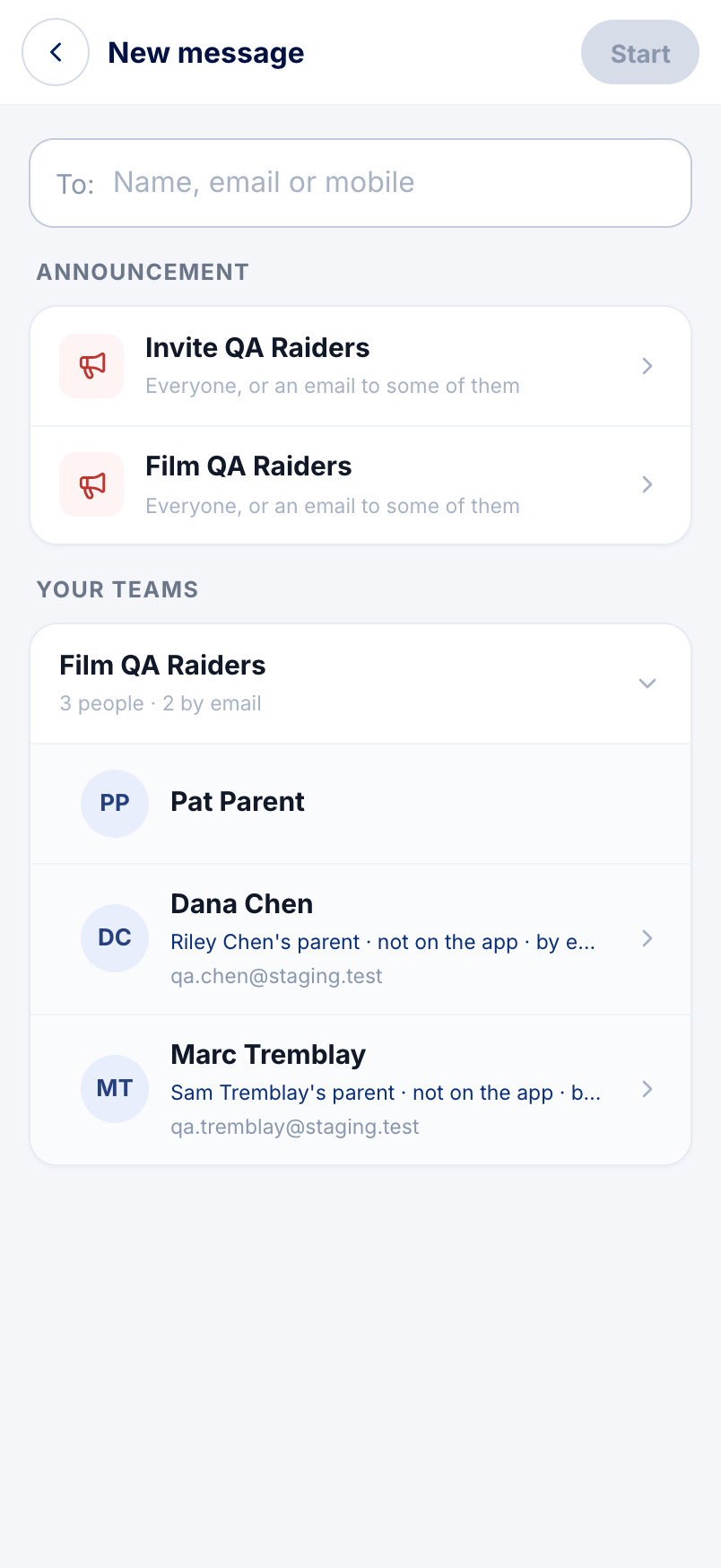
- Everyone: the announcement you know
The To row starts at Everyone on the team. Leave it there and nothing has changed: your note posts in the chat, pins to the top, pushes every phone, and goes by email now or in the 5:30 pm catch-up. When the email goes now you can give it a Subject here too.
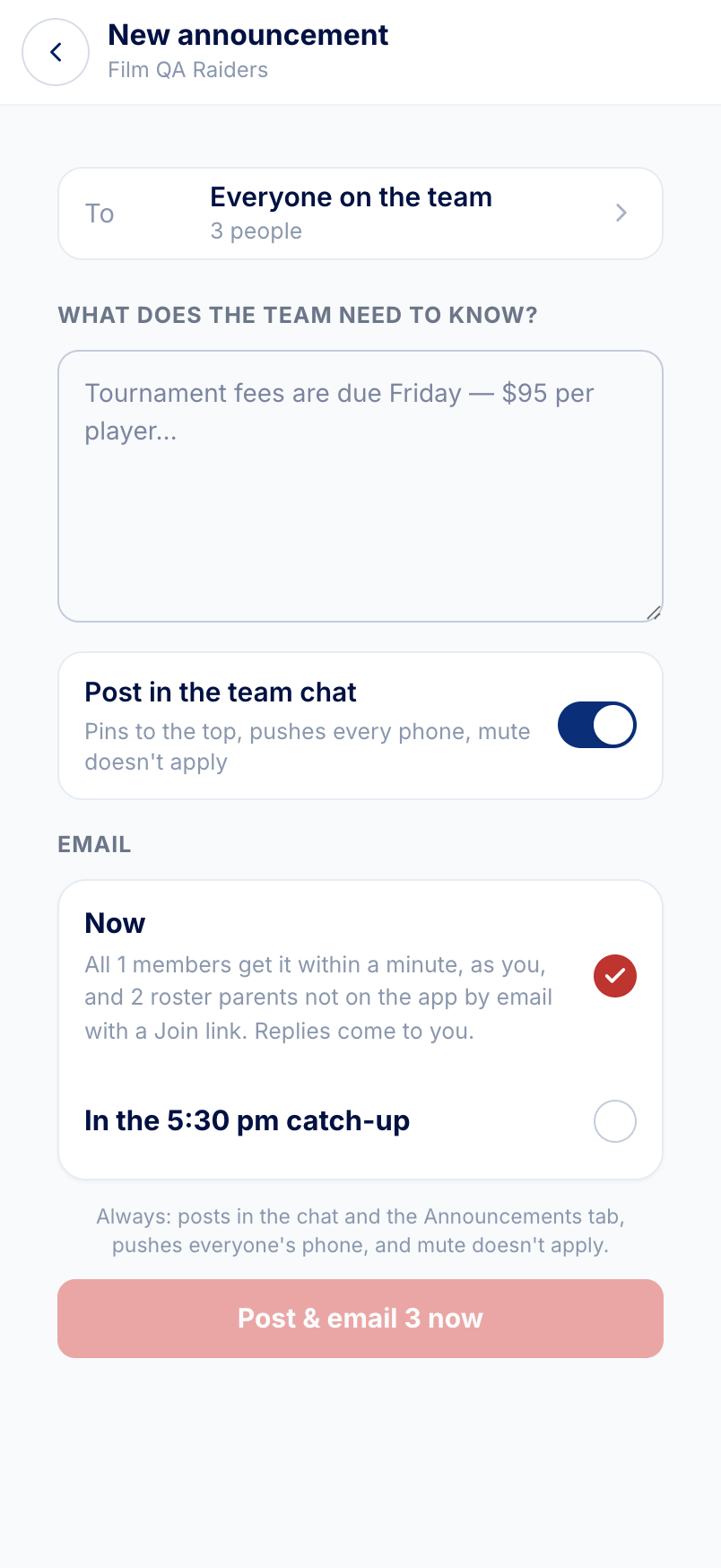
- Pick who
Tap the To row. Everyone on the team is one tap for all or none. Under it, one row per player with their parents named, and Coaches & managers as their own group. Tap a player to leave that family out; the count at the top follows.
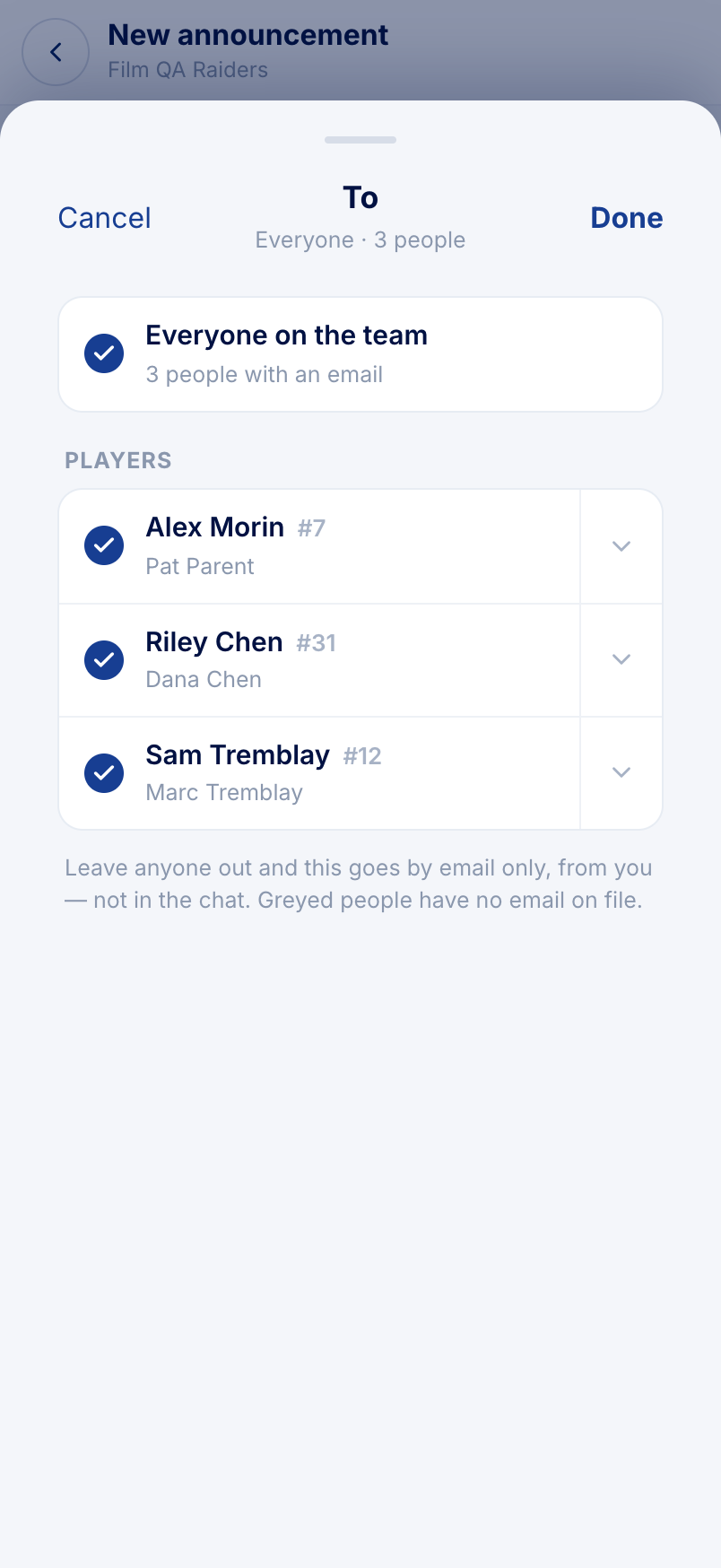
- One parent, not both
The chevron on a player opens the family: each parent has their own circle, so a note can go to one of them. Greyed rows have no email on file. Done keeps your picks, Cancel throws them away.
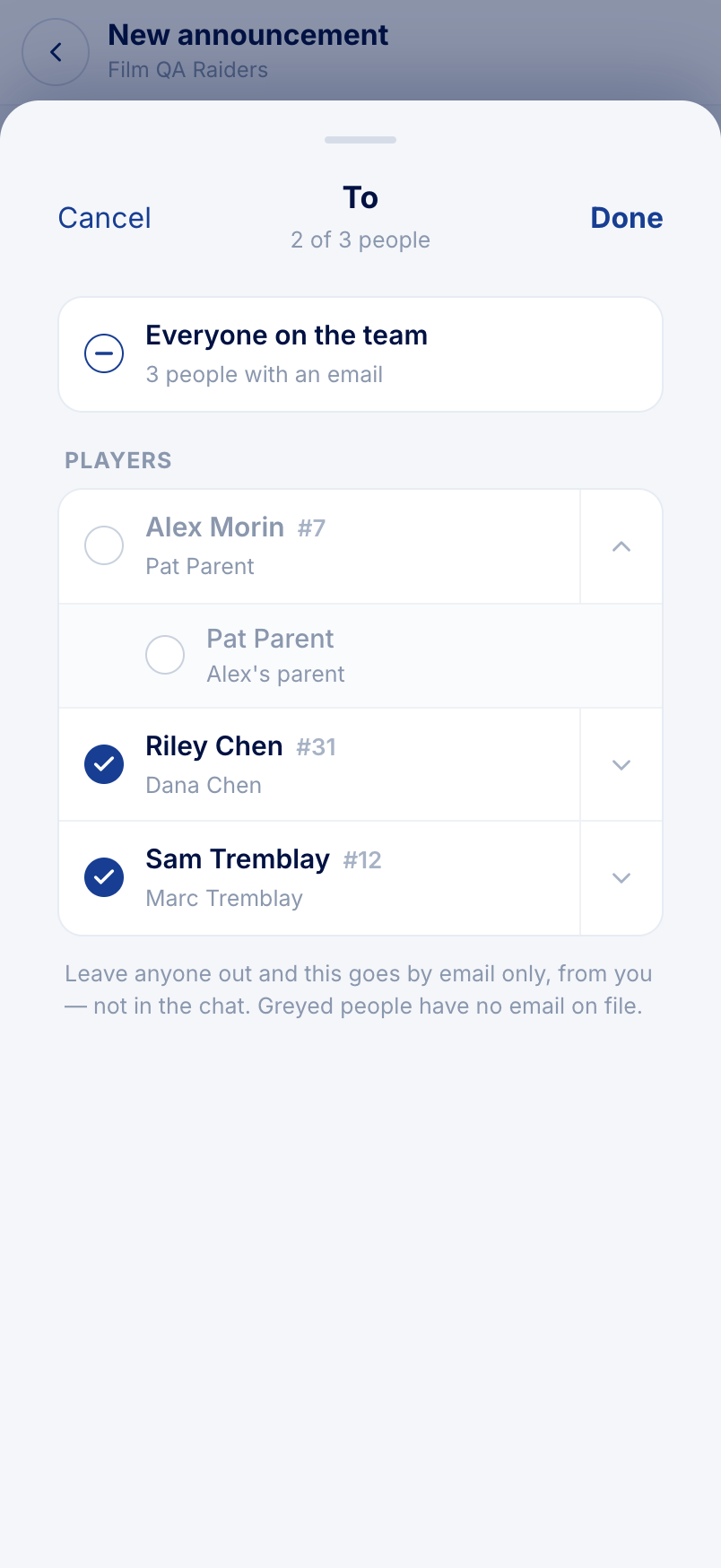
- It becomes an email
Leave anyone out and the page changes: Post in the team chat turns itself off and says why, since the chat reaches everyone. From is you via PuckFinder, with replies to your own inbox. Subject is the first line of your note unless you type one. No push, nothing in the chat.
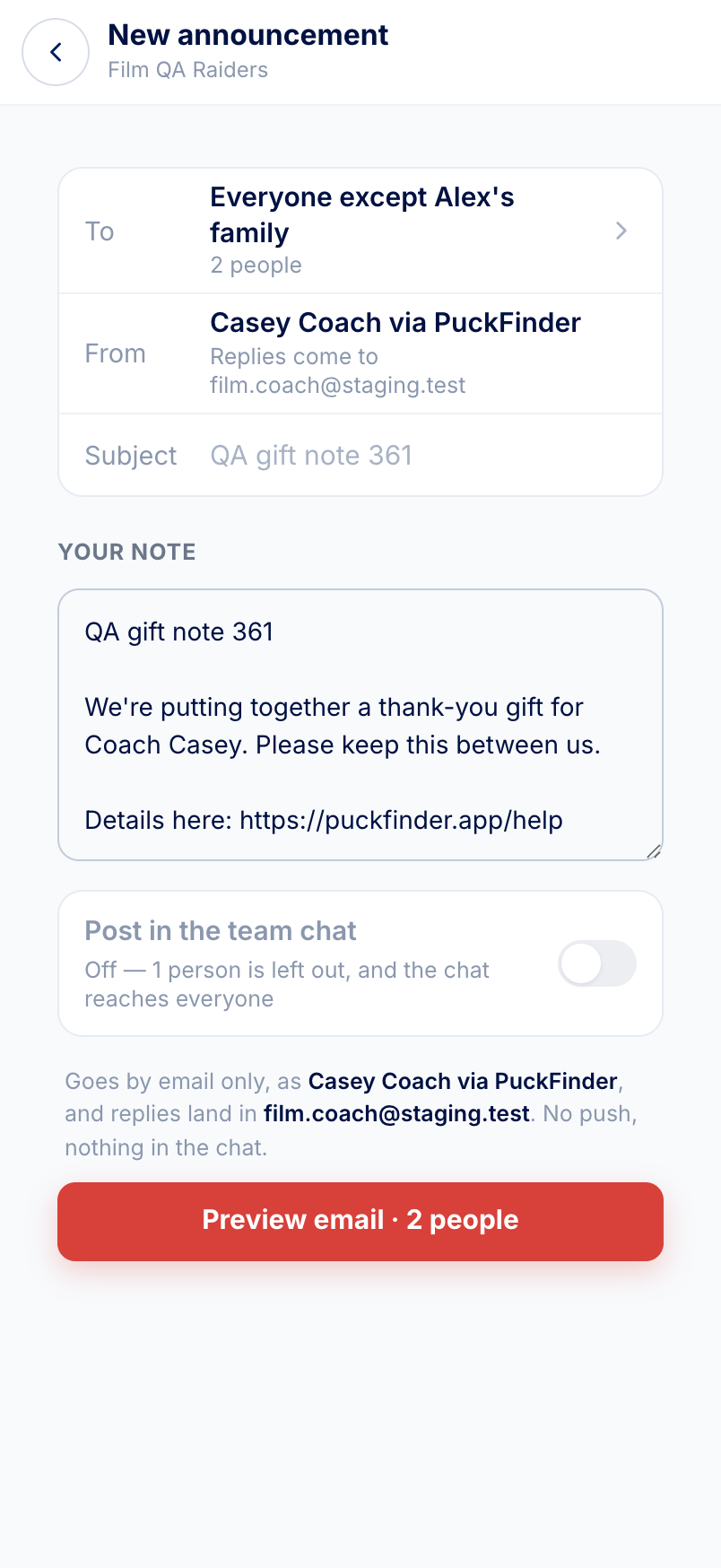
- Preview
Preview email shows it as it will land: To, From, Subject and the note. Send me a sample first puts a copy in your own inbox, so you read it the way a parent will.
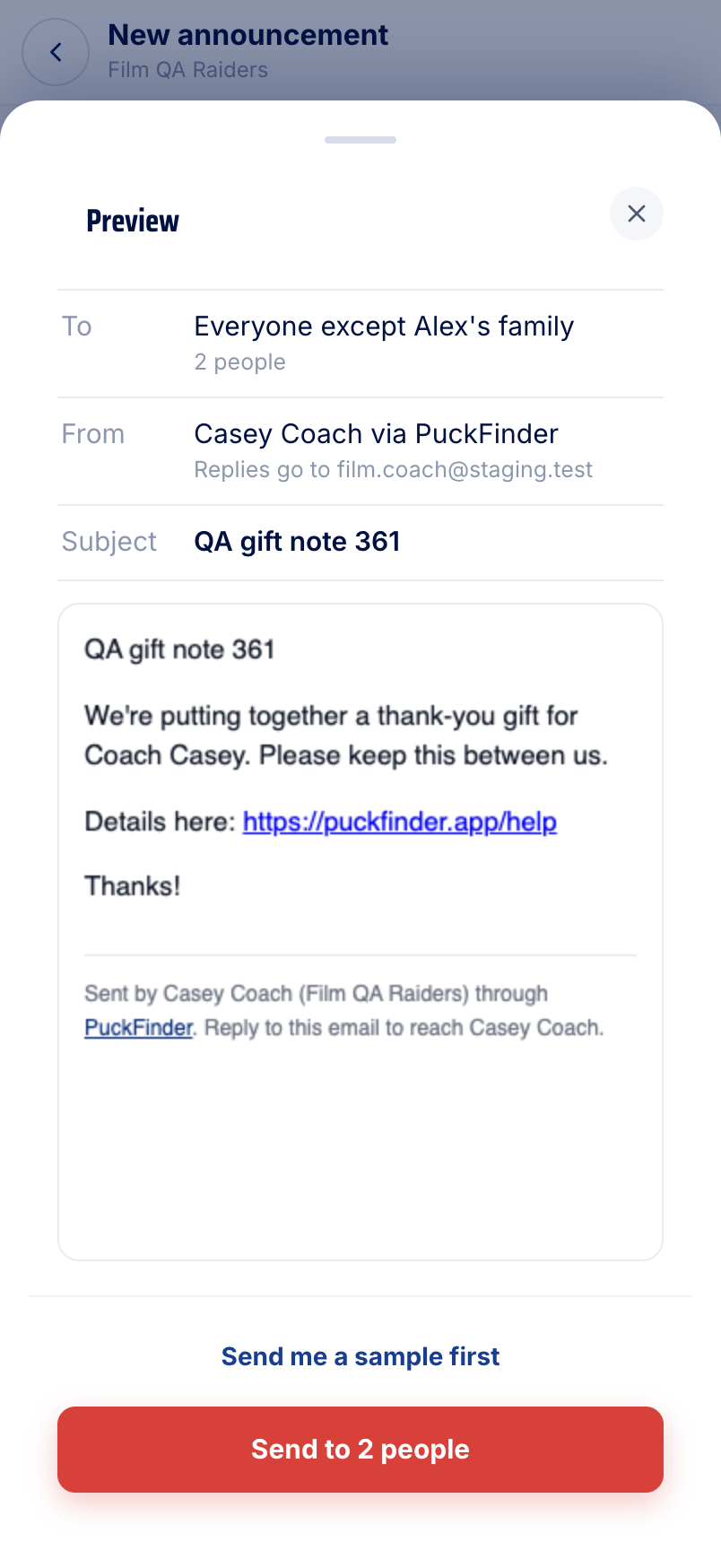
- Confirm
Send asks once more, with every name. Each person gets their own copy; nobody sees the other addresses. Not yet goes back to the note.
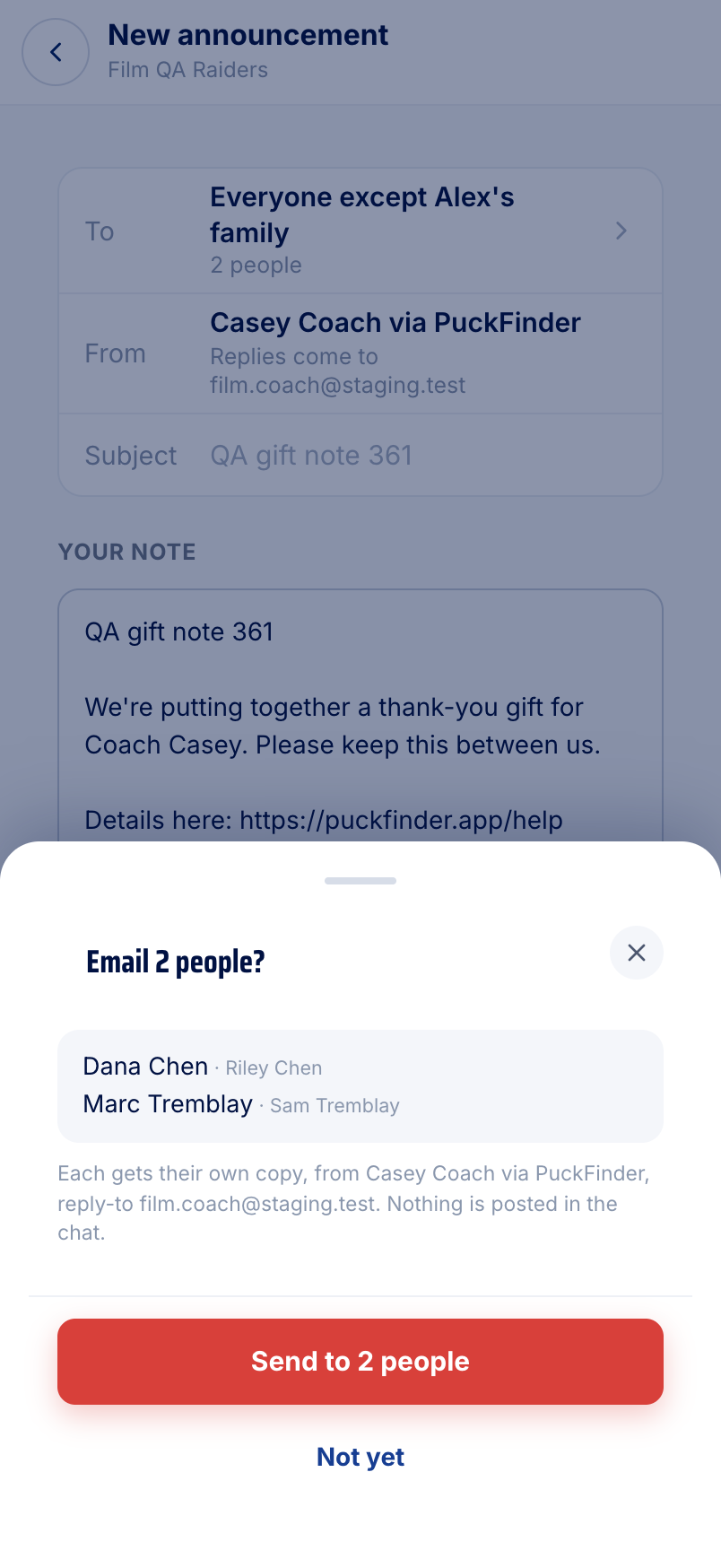
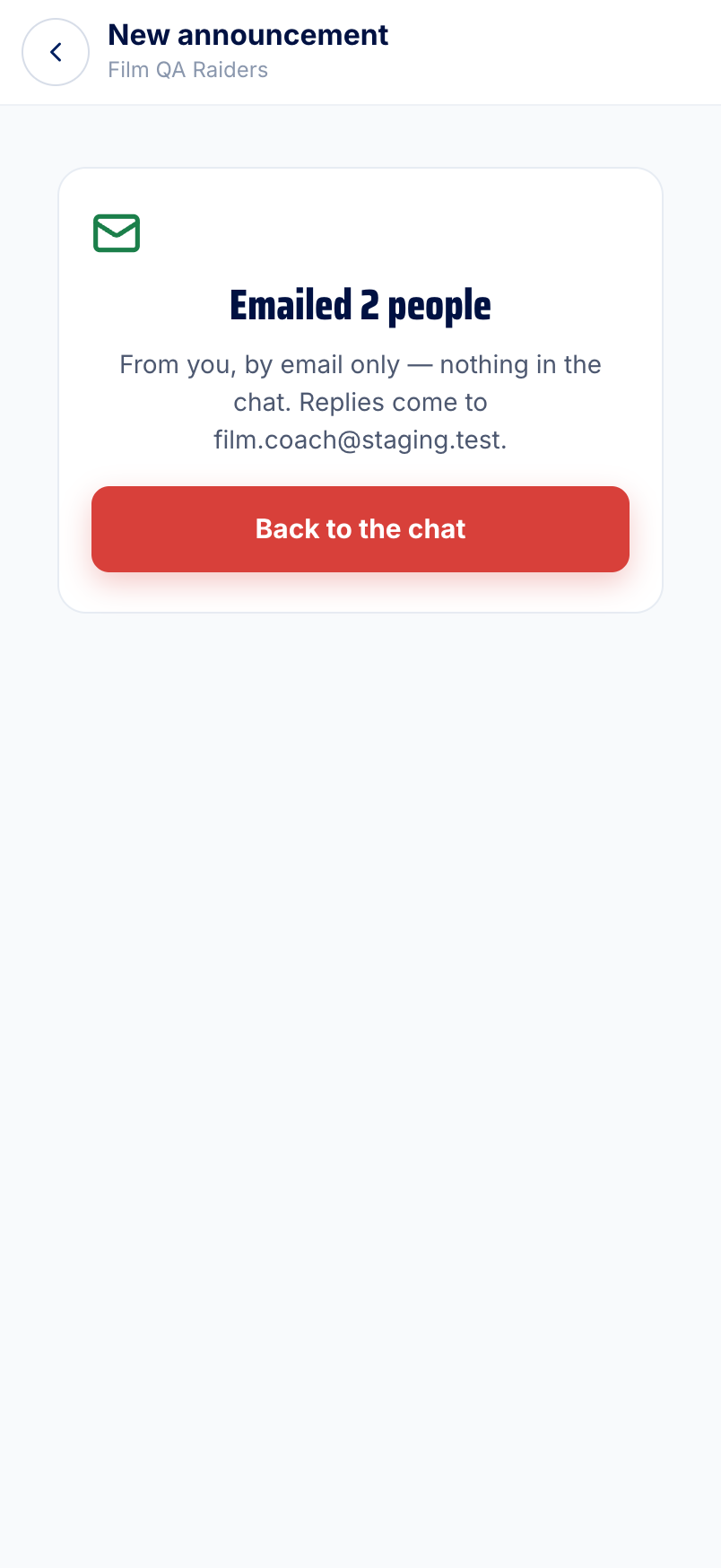
- Sent
Emailed, from you. Replies come to your inbox like any email. The chat has nothing, and nobody who was left out knows a note went around.
Good to know
- Who can send one: the team's managers and coaches — the same people who post announcements.
- Who is on the list: every parent on the roster with an email, on the app or not, plus the coaches and managers. You are not on it; the sample is your copy. A greyed person has no email on the roster: add one and they appear.
- Everyone, but off the chat: keep Everyone on the team and turn Post in the team chat off. The whole team gets the email and nothing is posted.
- Why the chat switches off: the team chat reaches everyone on it, so a note that leaves someone out can only go by email.
- The email itself: your words, with any headings, bold, lists and pictures you gave them, and attached files as links (how). From your name via PuckFinder, replies to your inbox, a footer that names you and the team. One copy per person, no one else's address on it.
- No email on your account: a phone-only sign-in has no reply address. The From row says so and the sample is off. Add an email to your account and both come back.
- Replies: they arrive in your mail app, not in PuckFinder.
Stuck?
Email john@puckfinder.app — a real person, usually the same day.