
Parents · 1 min read
Book a camp in the app
Partner camps are posters on Explore. Open one for the day-by-day schedule, take the full week or pick the days you want, and pay the organizer in one go.
Help › Book a camp in the app
Step by step
Tap a screenshot to see it full size.
- The camps
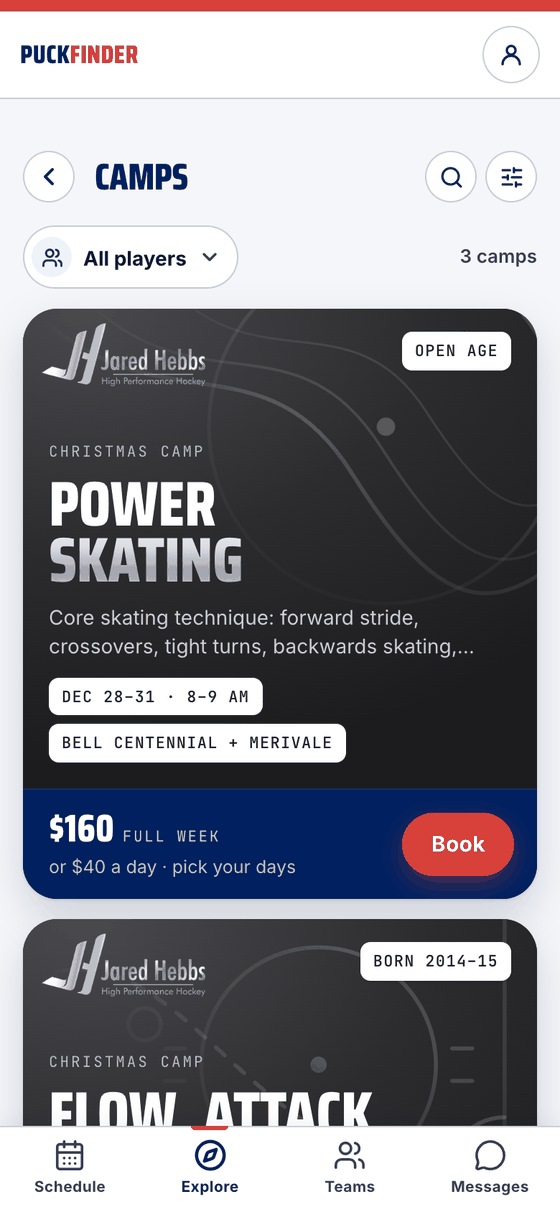
Tap the Christmas Camps card on Explore: each camp is a poster with who runs it, the ages, the dates and daily hours, the rinks, and the price for the week — or a day. They're on Extra sessions too.
- Open a camp
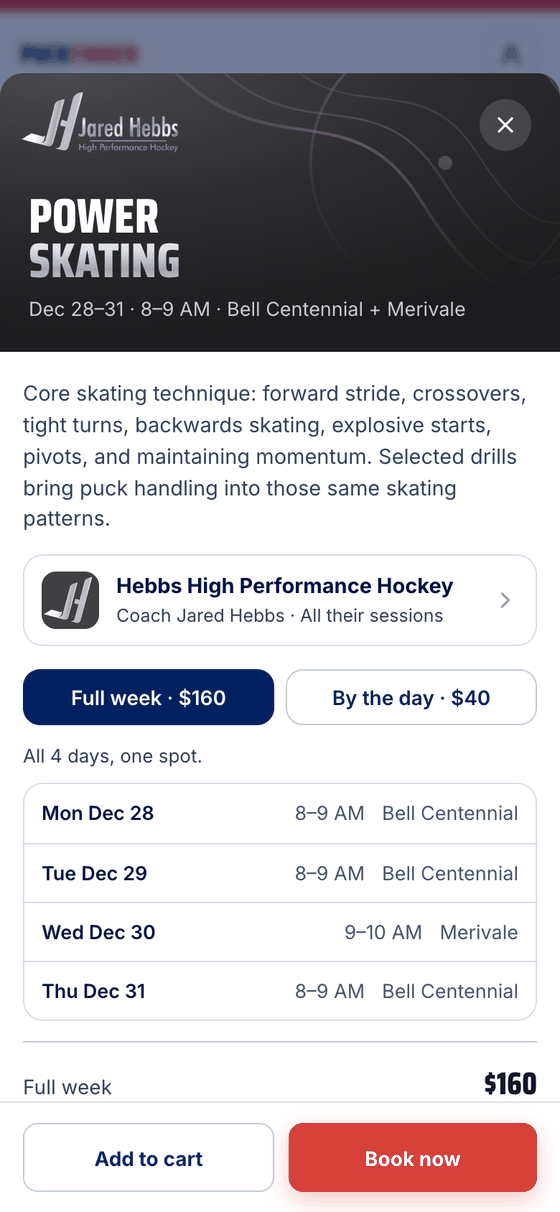
Book, or anywhere on the poster, opens the camp: the organizer's description, a link to everything they run, and the week day by day. Here Wednesday is at Merivale, an hour later.
- Full week or by the day
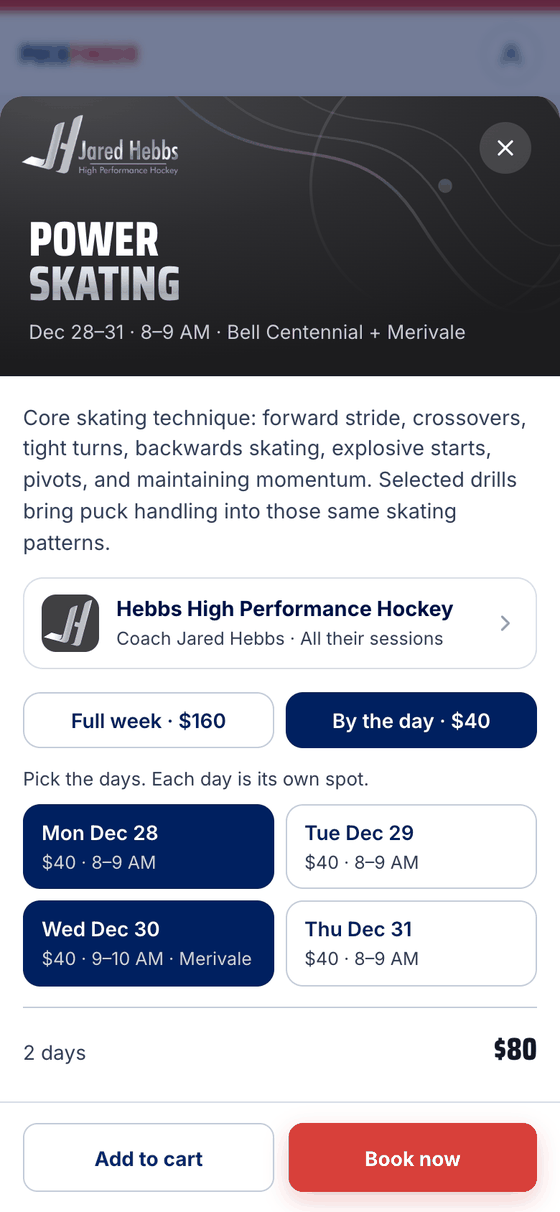
Full week is one spot for every day. By the day: tap the days you want. Each is its own spot, with its price and hours, and the rink when it's a different one. The total follows what you pick.
- Add to cart or book now
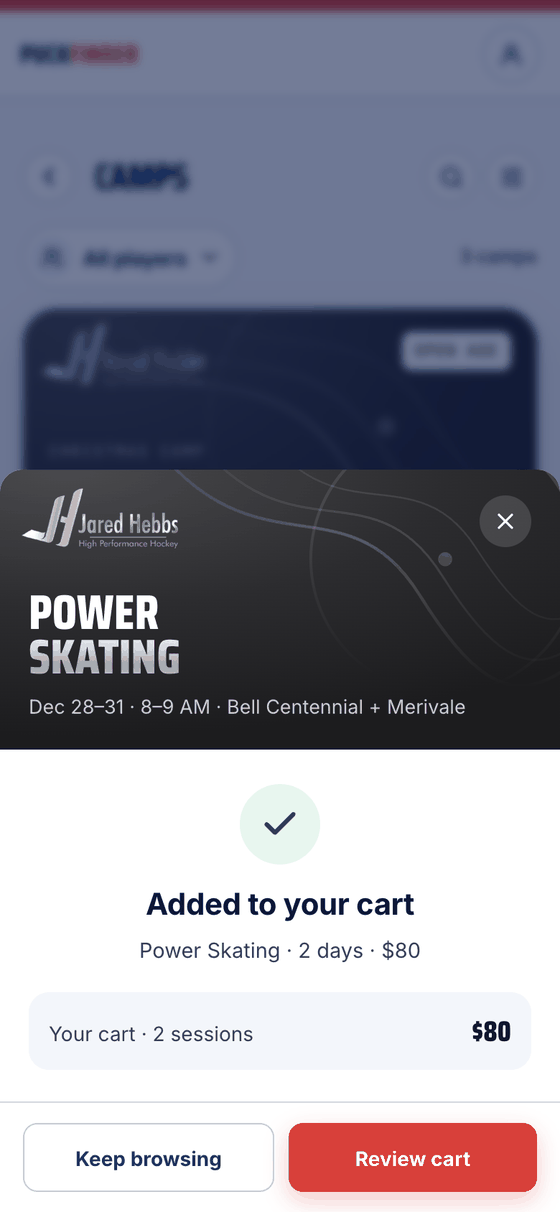
Add to cart keeps it while you look around; Book now goes straight to checkout. Either way it's one payment to the organizer — see the cart.
Good to know
- Ages: the poster says Open age or the birth years the camp is for. Pick your kid at the top to see the camps that fit them.
- Goalies: when a camp takes goalies, the poster says how — Goalies free · 2 spots, for example.
- Nearly full: a day says how many spots are left once it's down to five, and Full when there are none.
- Questions about the camp go to the organizer. Their row on the camp opens their page.
Stuck?
Email john@puckfinder.app — a real person, usually the same day.