
Parents · 2 min read
One cart, one checkout
Add camps and sessions as you browse, then check out once per organizer — by card or e-Transfer, whichever they take.
Help › One cart, one checkout
Step by step
Tap a screenshot to see it full size.
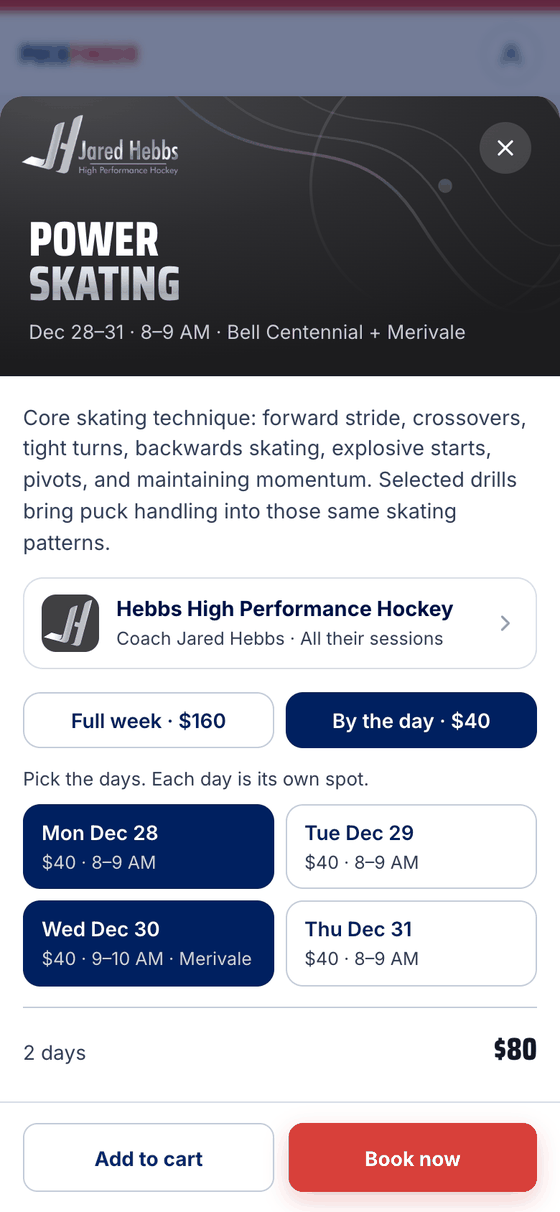
- Add to cart
On a camp, pick the week or the days, then Add to cart. Sessions hosted on PuckFinder have Add to cart on their sheet too, beside Continue to sign up.
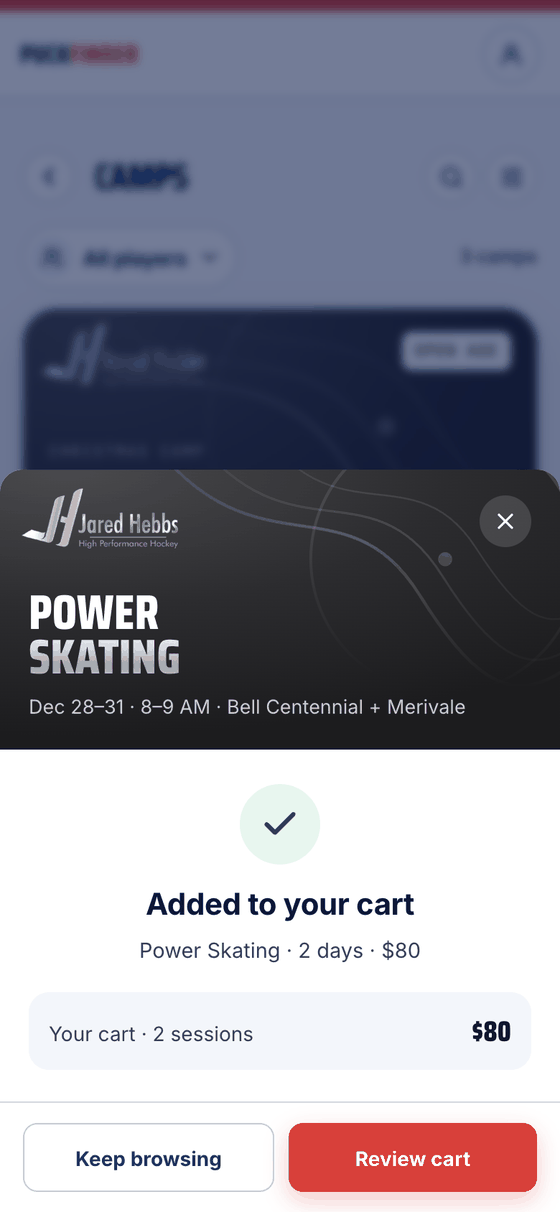
- Added to your cart
It says what went in and what the cart holds now — Your cart · 2 sessions · $80. Keep browsing, or Review cart.
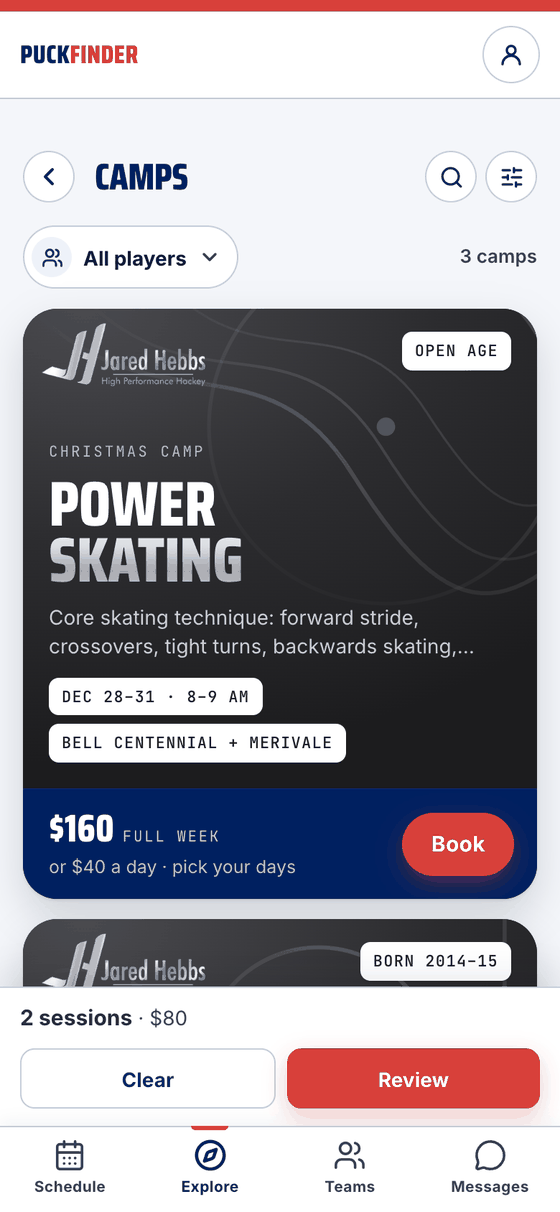
- The cart bar
While you look around Explore, a bar sits above the tabs: 2 sessions · $80. Review opens checkout; Clear empties the cart.
- Who's going
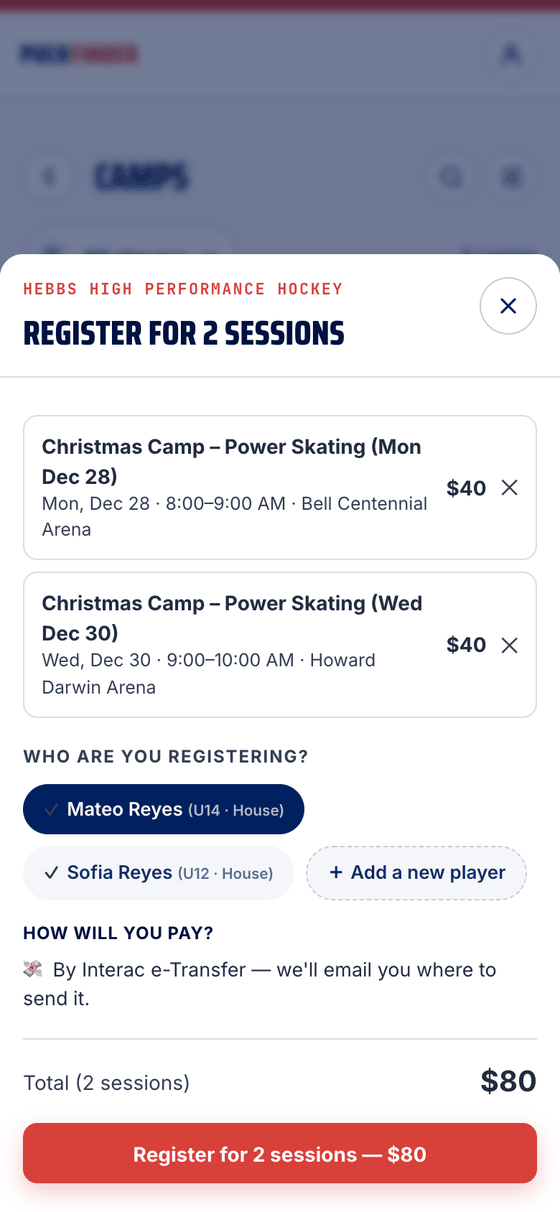
Checkout is one organizer at a time. Each line has its date, rink and price, and an ✕ to take it out. Pick your player, or Add a new player, and their position if a session asks for one.
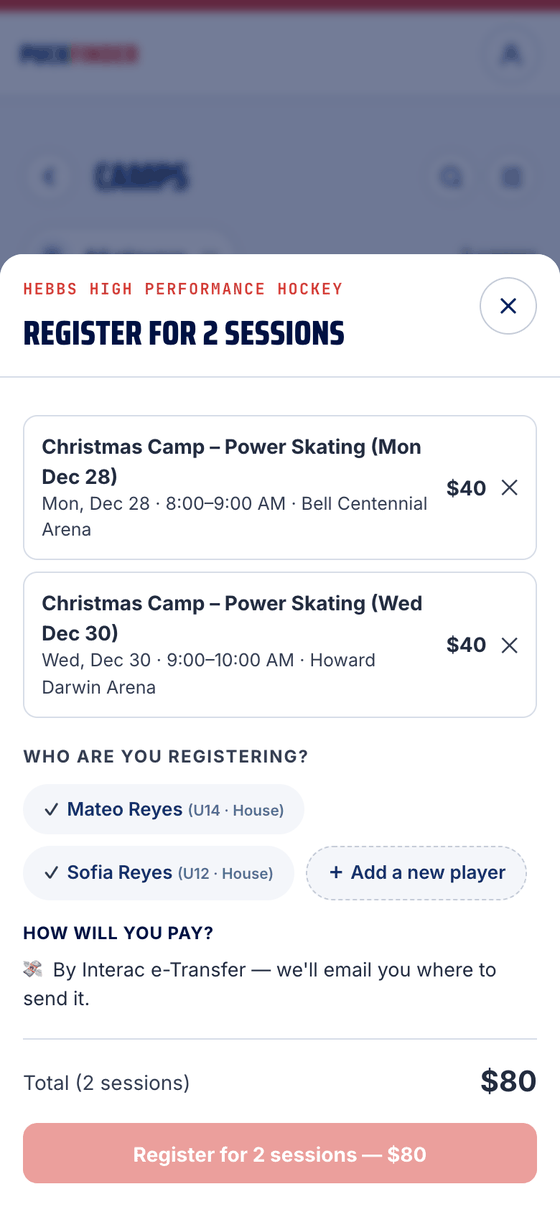
- Pay once
How will you pay? shows what the organizer takes: Card now, e-Transfer, or both. The button says what happens and the total — here Register for 2 sessions — $80.
Card or e-Transfer
- Card: one payment for everything in that checkout. Your spots are held for 30 minutes while you pay, and the receipt comes by email.
- e-Transfer: you're registered right away, and the email says where to send the money. Pay within 24 hours — unpaid spots are released.
Good to know
- More than one organizer: the bar says how many, and you check out with each in turn. Each organizer is paid separately.
- One player per checkout. Booking for two kids? Check out for the first, then add the sessions again for the second.
- The cart lives on this phone. Nothing is held until you check out, so a spot can still fill while it waits in your cart. Booked sessions drop out of the cart on their own.
- Up to 12 sessions go in one card payment.
Stuck?
Email john@puckfinder.app — a real person, usually the same day.