
Parents · 2 min read
Tournament weekends
A tournament shows on your Schedule as one card per day, with one question for the whole weekend. When the tournament posts its games, they slot in under it.
Help › Tournament weekends
Step by step
Tap a screenshot to see it full size.
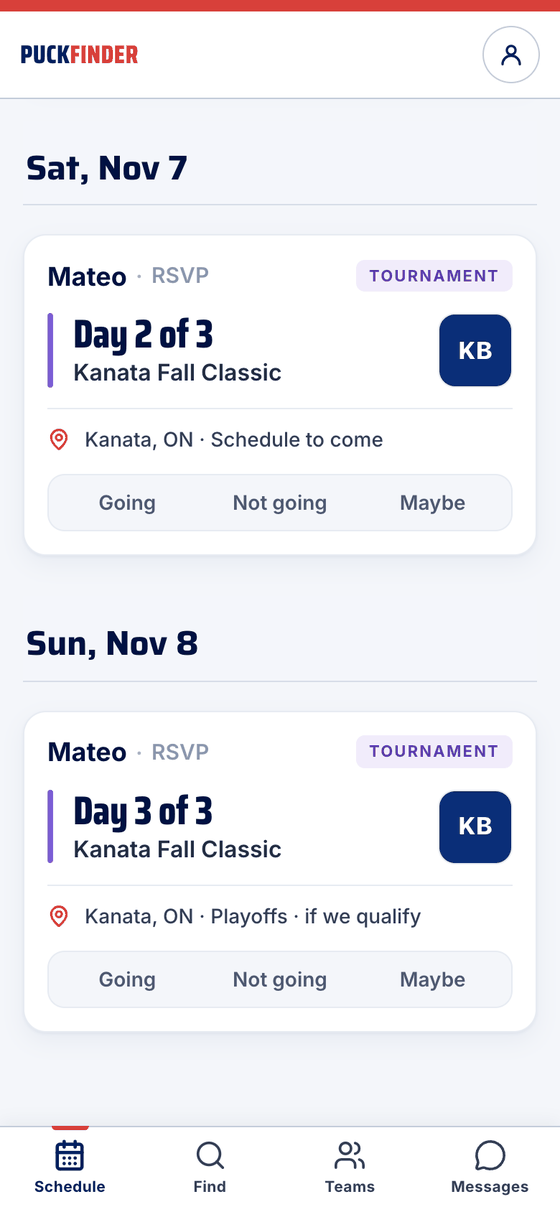
- A card for each day
Each day gets its own card: Day 2 of 3 where the time would be, the town, and where the schedule stands — Schedule to come, or Playoffs · if we qualify. Going, Not going or Maybe on any day's card answers for the whole weekend.
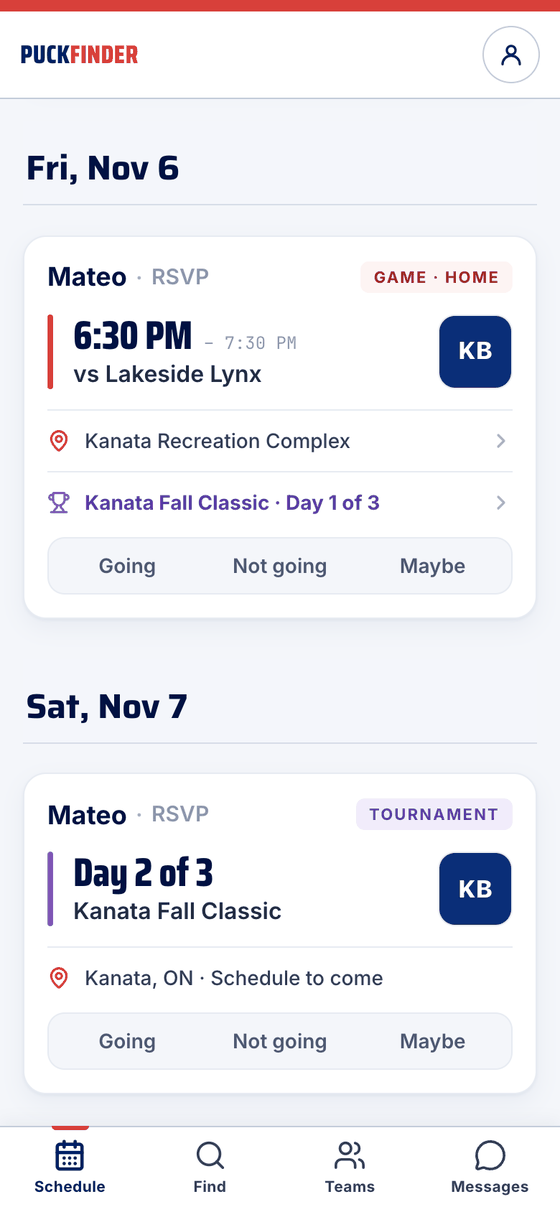
- Games join the tournament
Once the schedule is out, the games show as game cards with a trophy line — Kanata Fall Classic · Day 1 of 3. Your weekend answer is already on each game; change one on its own page.
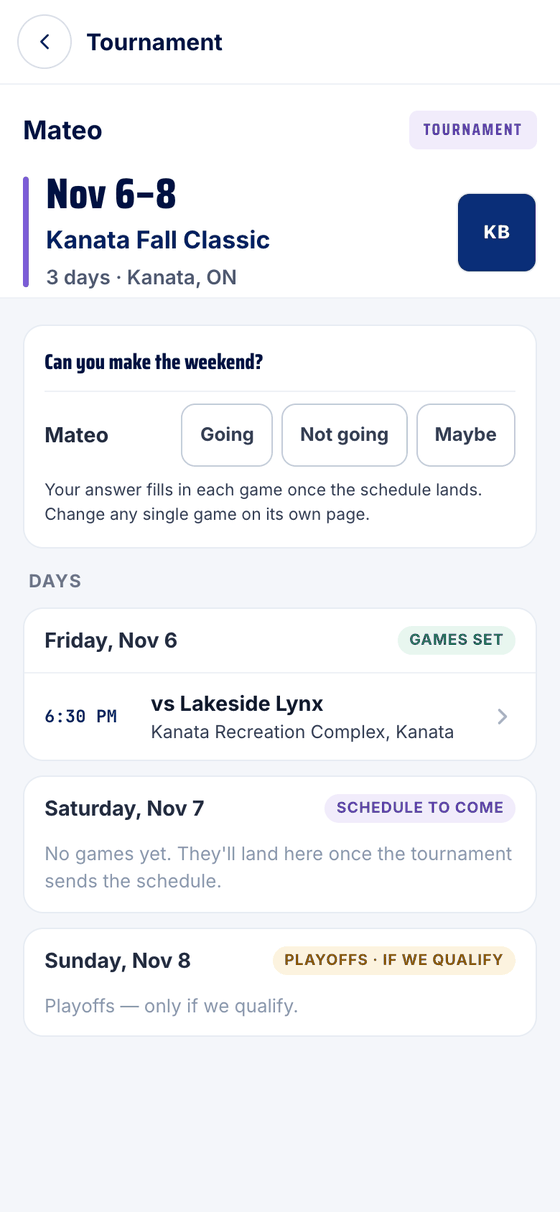
- The tournament page
Tap a day card or the trophy line. The weekend question is at the top, then every day with its games as they're posted.
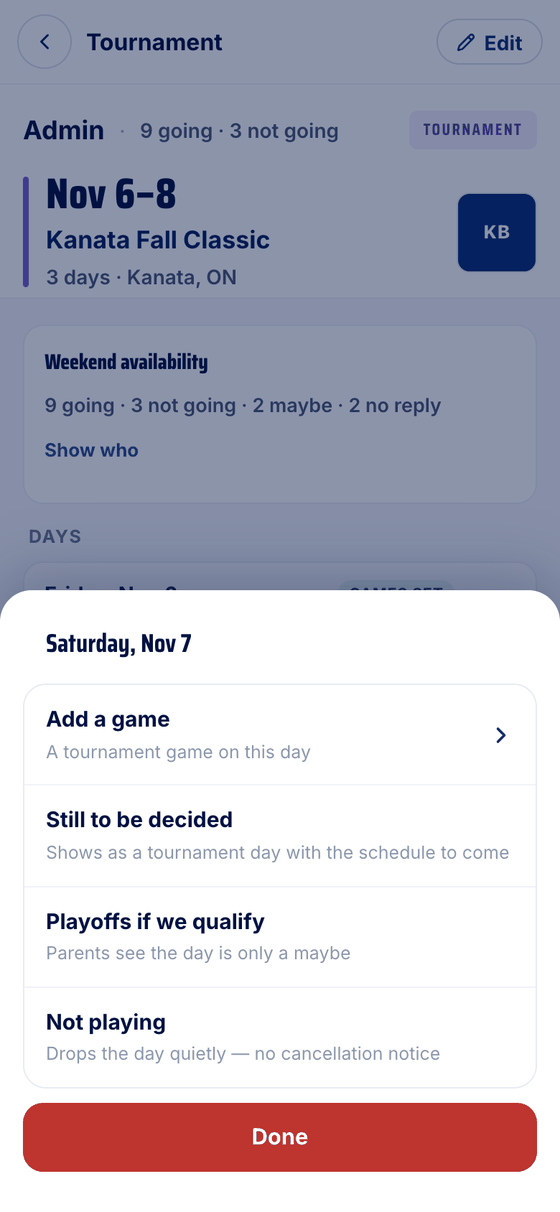
- Day by day (coaches and admins)
Staff see the weekend's answers — going, not going, maybe, no reply — and Show who. The ⋯ beside a day adds a game to it, or marks it Still to be decided, Playoffs if we qualify or Not playing. Not playing drops the day quietly, with no cancellation notice.
- Adding one (team admins)
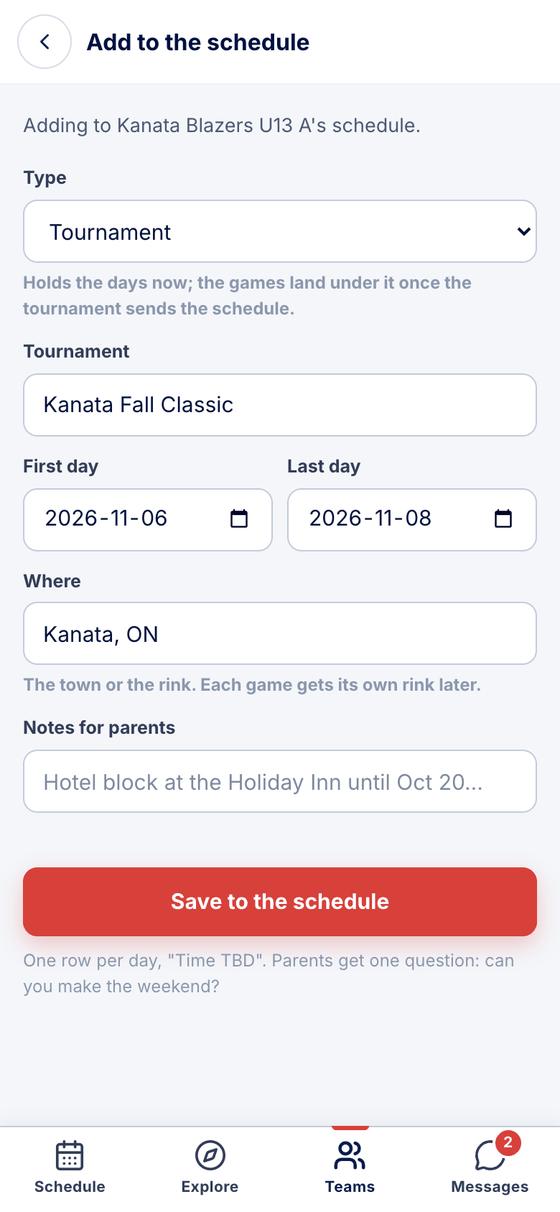
Teams → your team → +, then Type: Tournament. Name it, pick the first and last day, and say where. It goes on the schedule as one row per day, Time TBD, and parents get one question: can you make the weekend?
Good to know
- Most tournaments arrive on their own. On a team that syncs from TeamSnap or a calendar, the tournament's days come in with the schedule and PuckFinder groups them. Nothing to set up.
- TeamSnap teams: your weekend answer is sent to TeamSnap for each day and game.
Stuck?
Email john@puckfinder.app — a real person, usually the same day.