
Parents and teams · 2 min read
Player of the game
After a game, a coach or manager opens a vote in the team chat. Parents pick from the roster — never their own kid — and nobody sees the tally until it closes. The winner lands on the game and on the player's card.
Help › Player of the game
Step by step
Tap a screenshot to see it full size.
- Start it from the chat (coaches and admins)
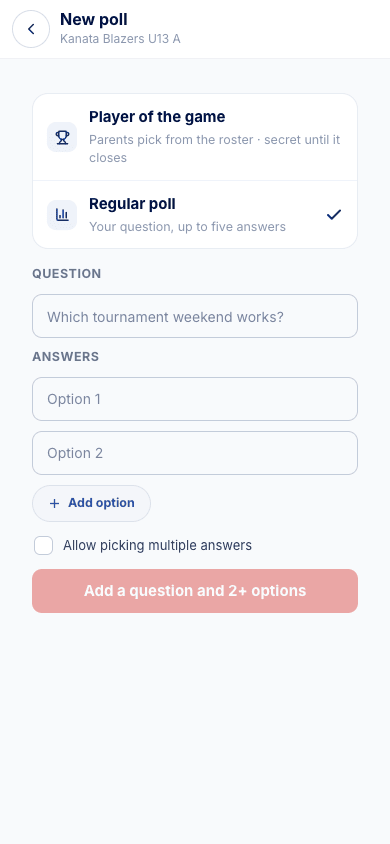
In the team chat, + → Poll. The first choice is Player of the game or a regular poll. Only coaches and admins see the choice; everyone else gets the plain poll.
- The game and who votes
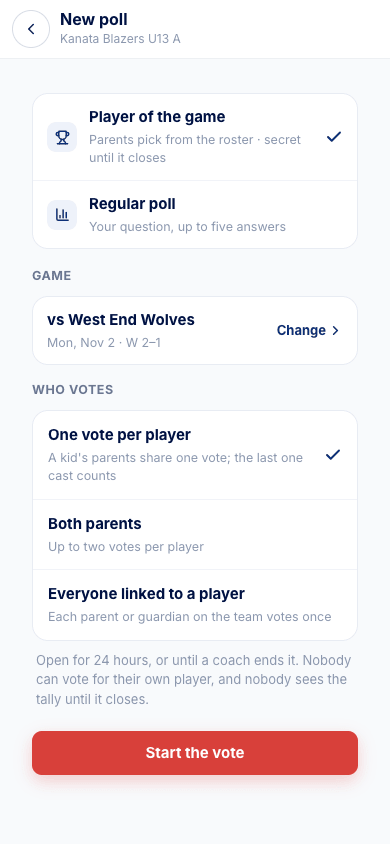
The game closest to now is already picked; Change lists the rest, a game that already had a vote greyed. Then who votes: one vote per player (a kid's parents share it, the last one cast counts), both parents (up to two per kid), or everyone linked to a player. The team remembers your choice. Start the vote posts it.
- The ballot in the chat
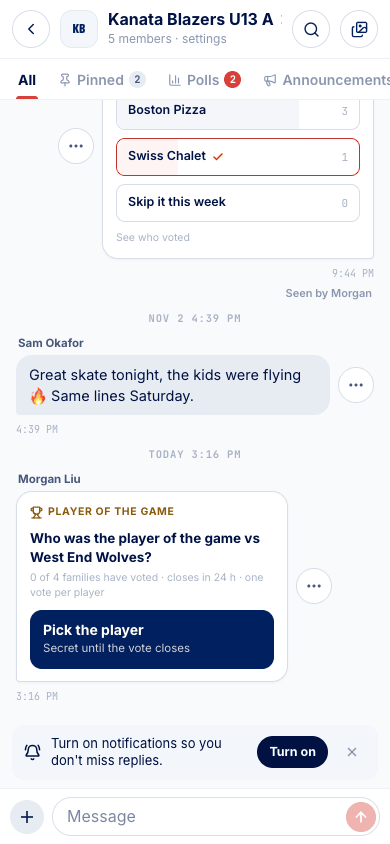
It's a card in the thread with the question, how many families have voted and when it closes. Parents tap Pick the player. Coaches without a kid on the roster see the card but can't vote.
- Pick
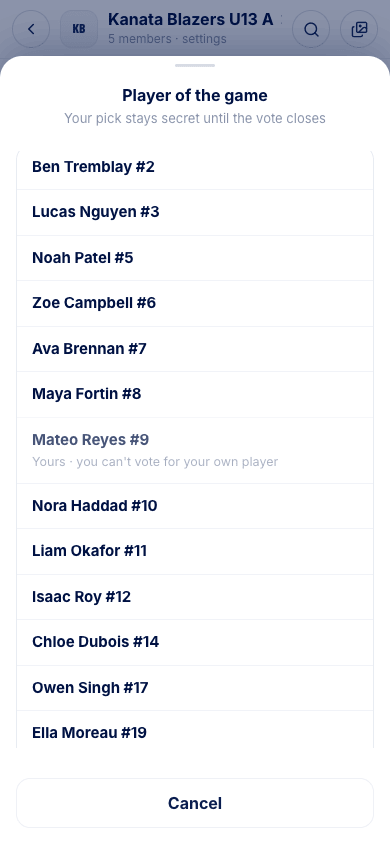
The whole roster, by number. Your own kid is greyed — you can't vote for your own player. Tap a name and the sheet closes.
- Your pick, nobody else's
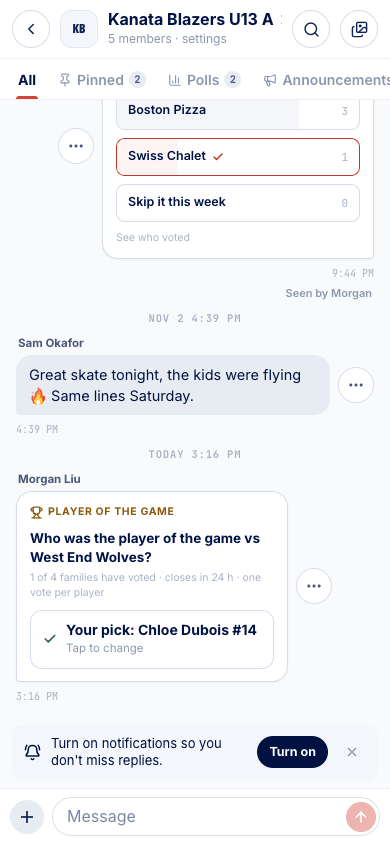
The card now shows your pick. Tap it to change; tap the same name again to clear it. The count goes up, the names don't show — not even to the coach — until the vote closes.
- It closes, the winner shows
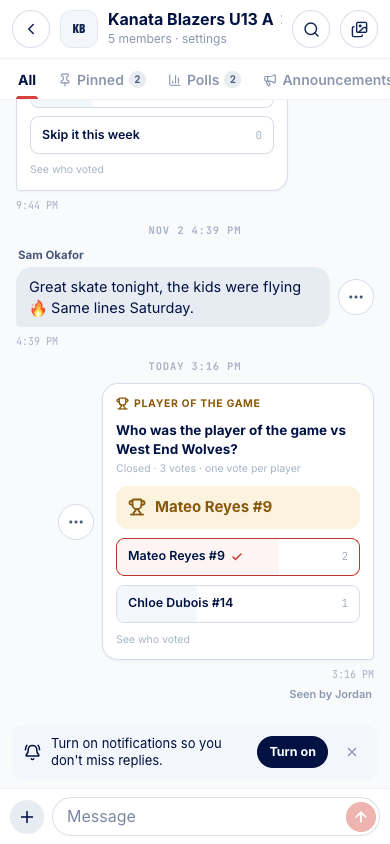
The vote closes on its own after 24 hours, or when a coach or admin taps End the vote nowon the card. Then the card shows the winner and bars for everyone who got a vote; a tie names them all. Coaches and admins get Reopen the vote on the card and See who voted in the message's ⋯ menu (long-press the card). Parents only ever see the counts.
- On the game and the player
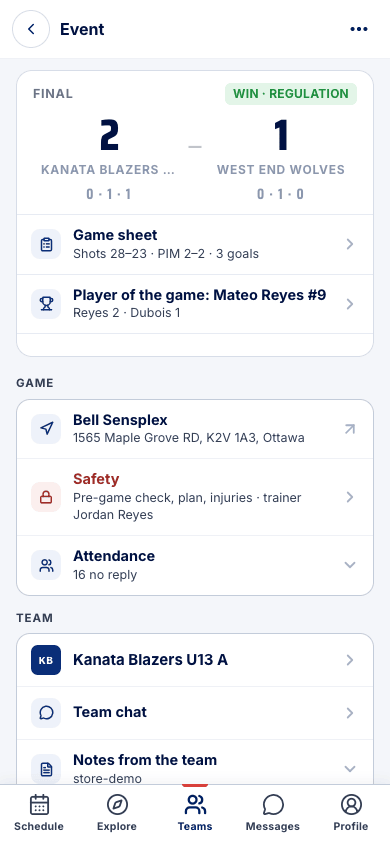
The game's Final card gets a Player of the game row with the top votes, and the winner's card counts it — Player of the game · once. A game with no vote shows nothing.
Good to know
- One vote per game. Once a ballot exists for a game it can't be started again; a coach can end it early and reopen it if a vote came in late — the ballot keeps every pick.
- Who counts as a parent: anyone linked to a player on the roster. A coach who is also a parent votes as a parent — and still can't pick their own kid.
- Both parents, three adults: under both parents, the third person linked to the same kid is told two votes are already in.
- It's a poll underneath. It sits in the chat's Polls tab with the others, and a push goes out when it's posted.
Stuck?
Email john@puckfinder.app — a real person, usually the same day.