
Team managers · 2 min read
Help wanted
Den Mom, snacks, the penalty box: set a job up once, and the parents you choose sign up event by event. Open spots show on their Schedule, and a push reminds whoever's on.
Help › Help wanted
Step by step
Tap a screenshot to see it full size.
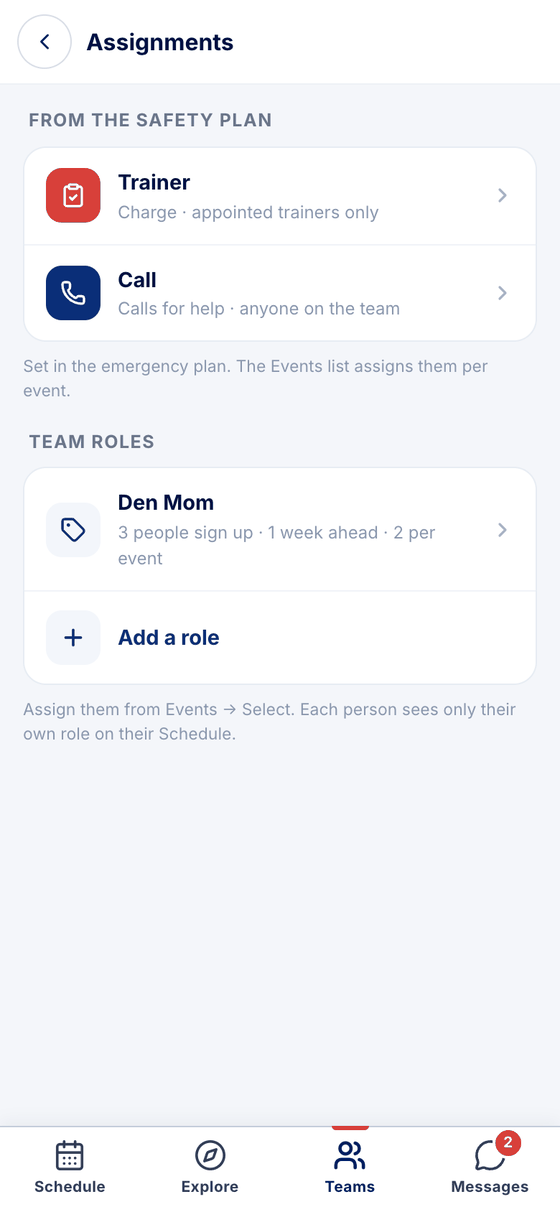
- Settings → Assignments
Team → Settings → Assignments. Trainer and Call come from the safety plan. Team roles are yours: Den Mom, videographer, timekeeper — whatever the team needs at the rink. Tap Add a role.
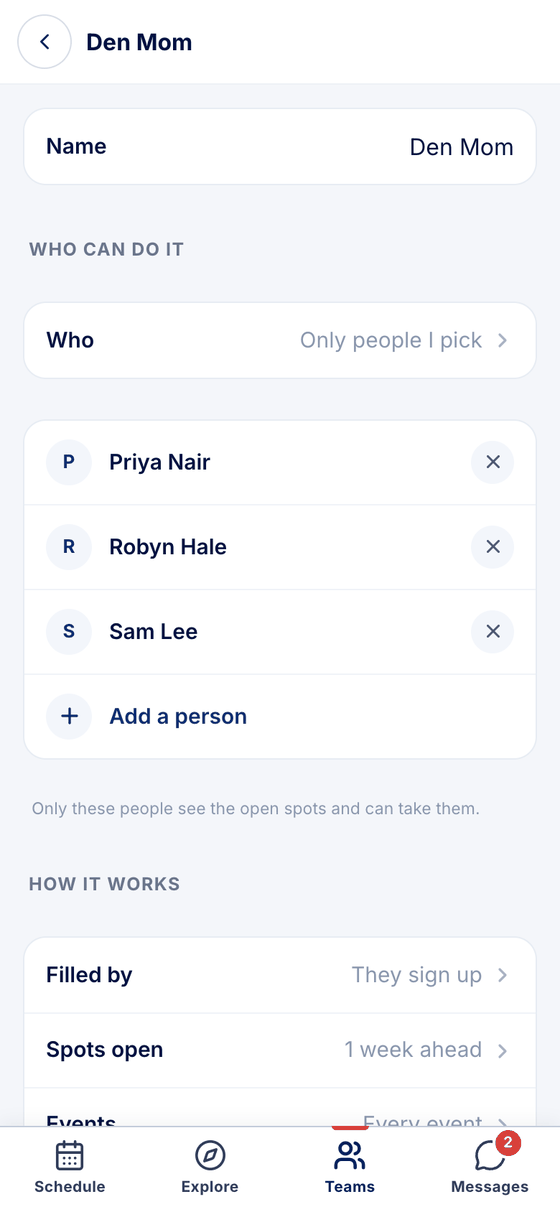
- Who can do it
Name it, then choose who: Any parent on the team, Staff only, or Only people I pick, and add them. Whoever can take it sees the open spots; nobody else hears about it.
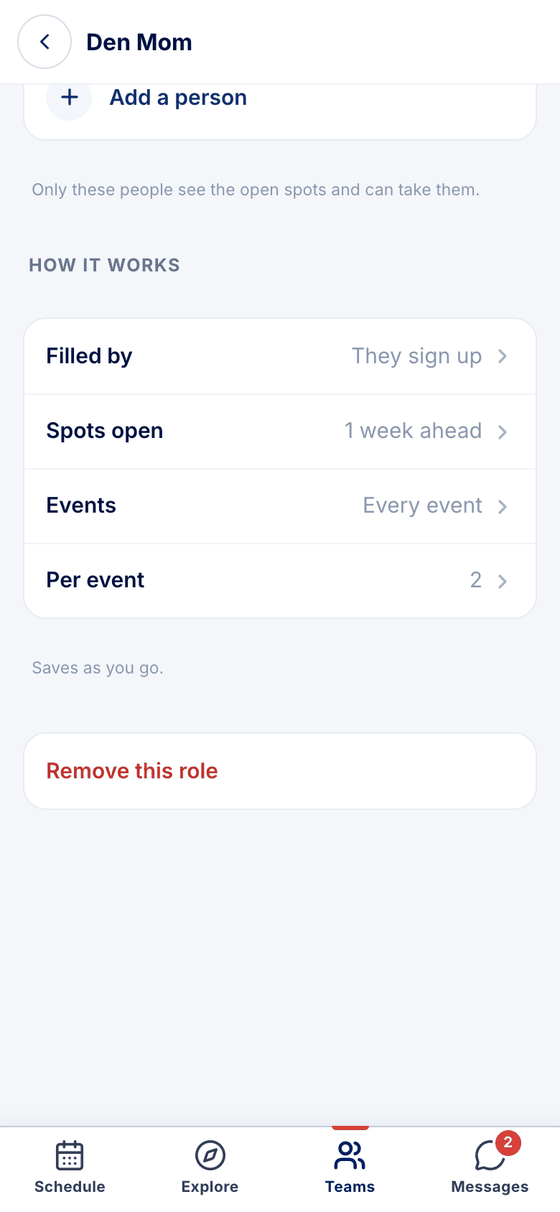
- How it works
Filled by: They sign up (first come, first served) or Staff assign. Spots open a week, two weeks or a month ahead, or all season. Events: every event, games, practices or home games. Per event: how many people. It saves as you go.
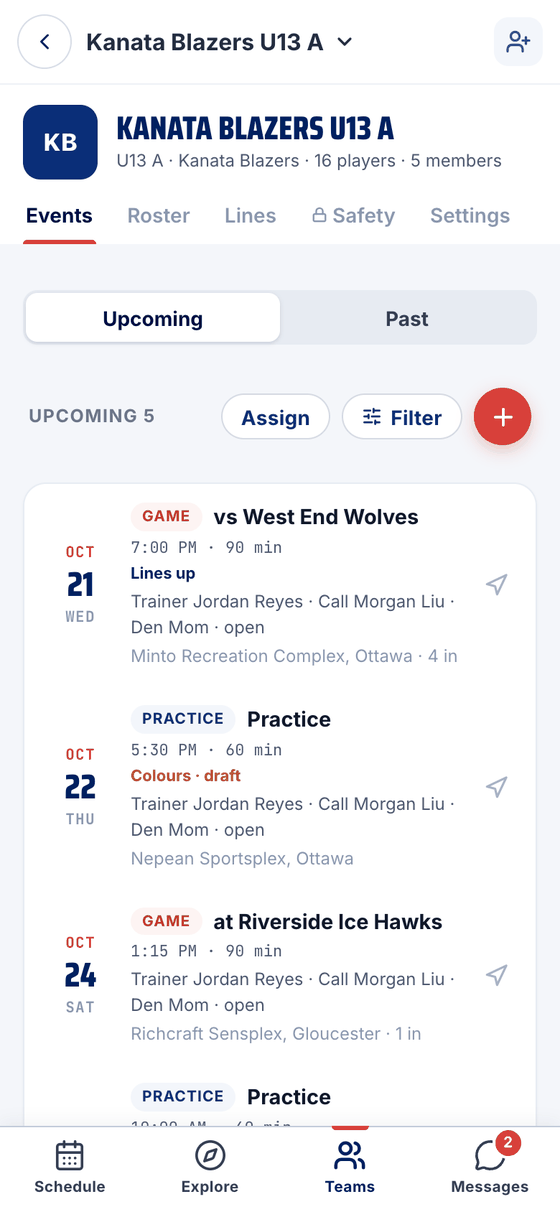
- On the Events list
Each event shows the job and who has it — Den Mom · open until someone signs up.
- What a parent sees
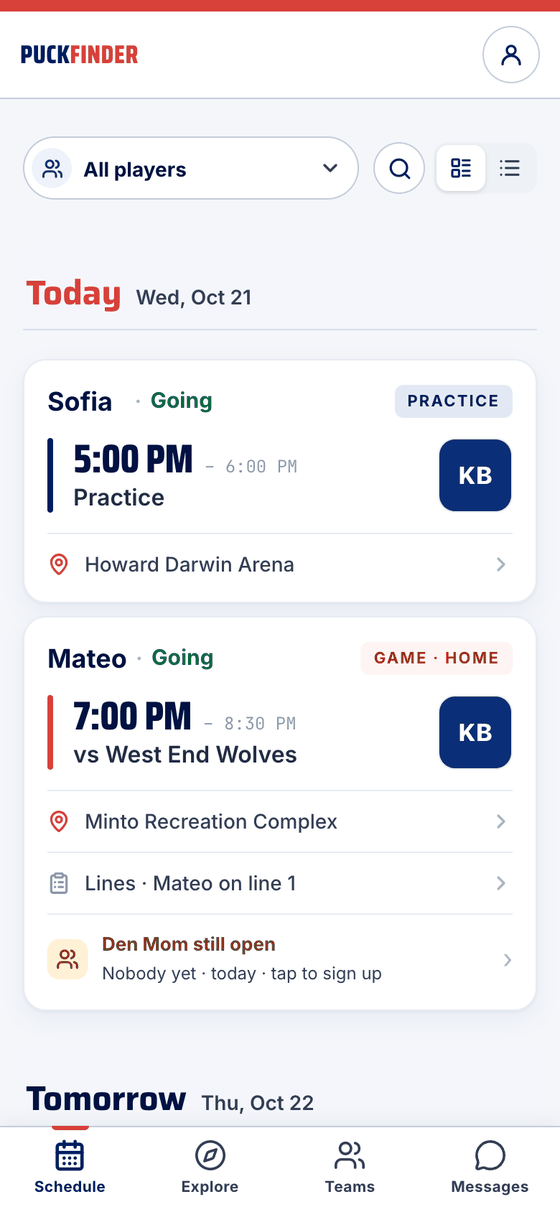
For the people who can take it, the Schedule card says so: Den Mom still open · Nobody yet · today · tap to sign up.
- I'll do it
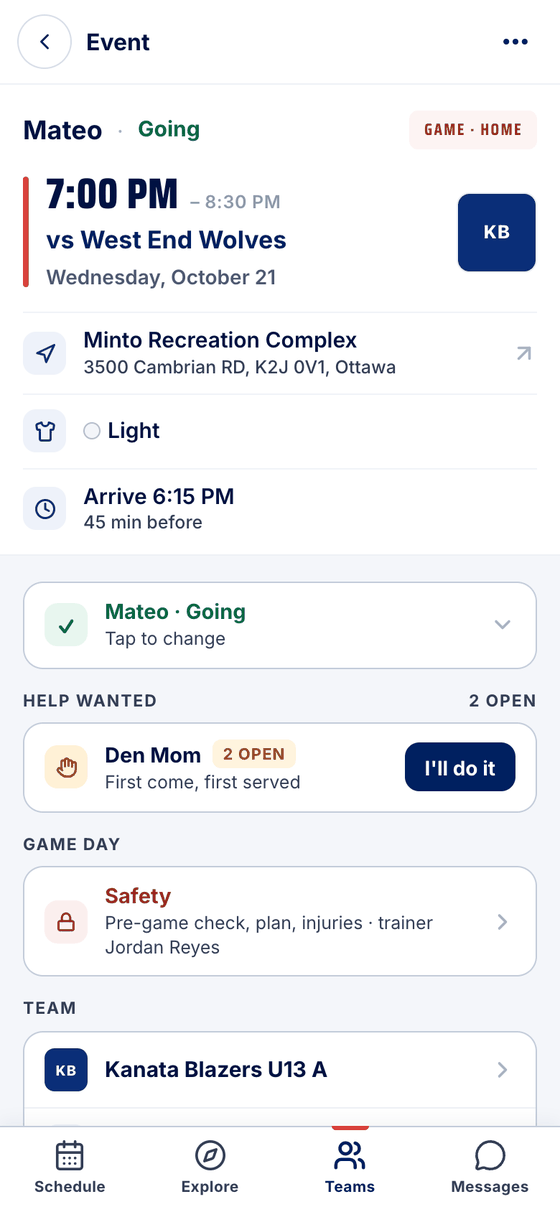
The event page has a Help wanted group: the job, how many spots are open, and I'll do it.
- Who you're waiting on
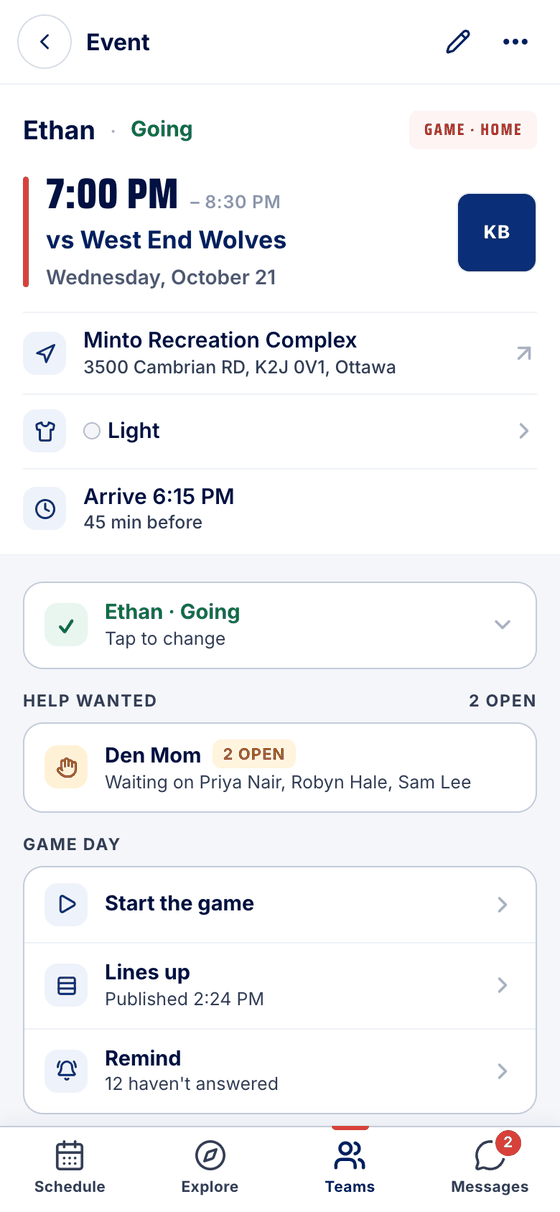
Admins see the same group with who could still take it: Waiting on Priya Nair, Robyn Hale, Sam Lee.
After someone signs up
- The event reads You're Den Mom · Signed up · a push on the day, and their Schedule card says it too.
- Can't make it gives the spot back: it opens for the others again, and the team's admins get a message.
- About two hours before the event, a push reminds whoever's on.
Staff assign instead
With Filled by: Staff assign, nobody signs up. On the Events list, tap Assign, tick the events and pick the person. They see the job on their Schedule and confirm with I've got it on the event.
Stuck?
Email john@puckfinder.app — a real person, usually the same day.