
Parents · 3 min read
The score, the sheet, the season
Every game's final sits on its card with a period-by-period line score and the game sheet underneath: who scored, who assisted, the penalties and the shots. The team page adds the season up — wins and losses you can tap into, and points, goals, assists and penalty minutes for every player. It fills itself in from your league's website, with nothing to set up.
Help › The score, the sheet, the season
Step by step
Tap a screenshot to see it full size.
- The Final card
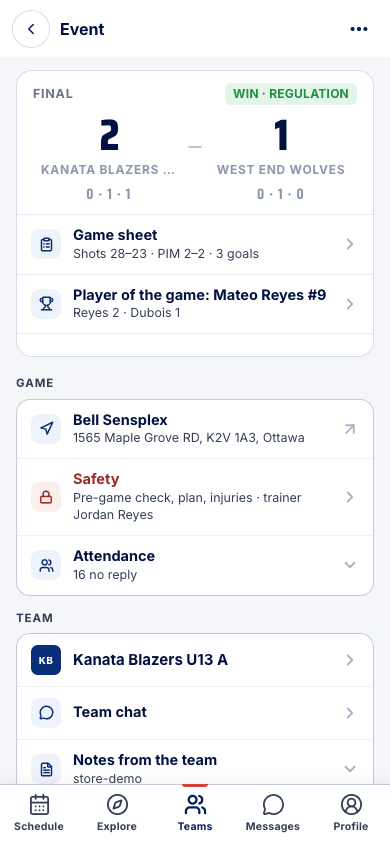
A finished game shows its score with a line score under it: each team, its goals in the 1st, 2nd and 3rd, and the final. The Game sheet row sums it up — shots, penalty minutes, goals — and opens the sheet. A Player of the game row appears only when the team ran a vote and it closed.
- The game sheet
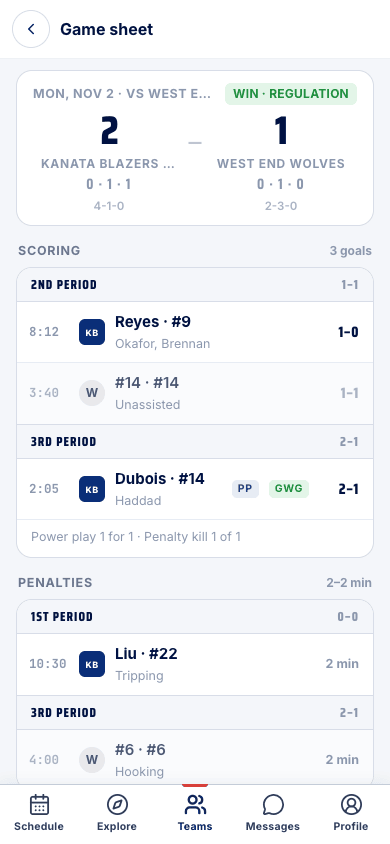
Scoring by period, newest period last, with the score after each one on the divider. Our goals lead with the team's crest, theirs with a grey initial. Each line is the time left on the clock, the scorer, the assists, and tags for a power-play (PP), short-handed (SH) or game-winning (GWG) goal.
- Penalties and shots
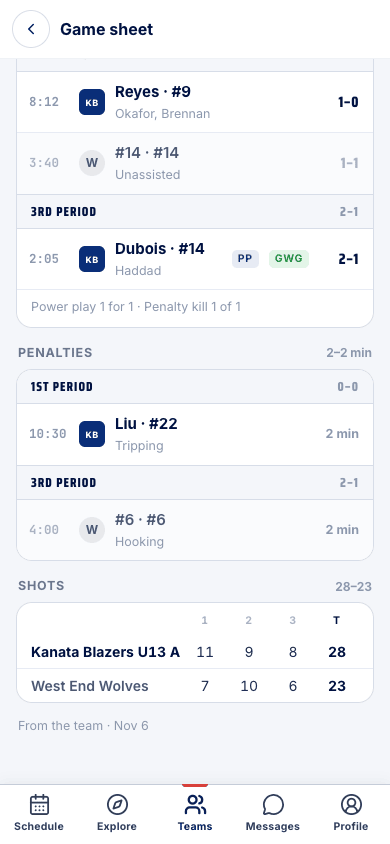
Penalties follow, by period, with the infraction and the minutes. Shots by period sit at the bottom when the sheet has them. The last line says where the sheet came from and when.
- The season, on the Stats tab
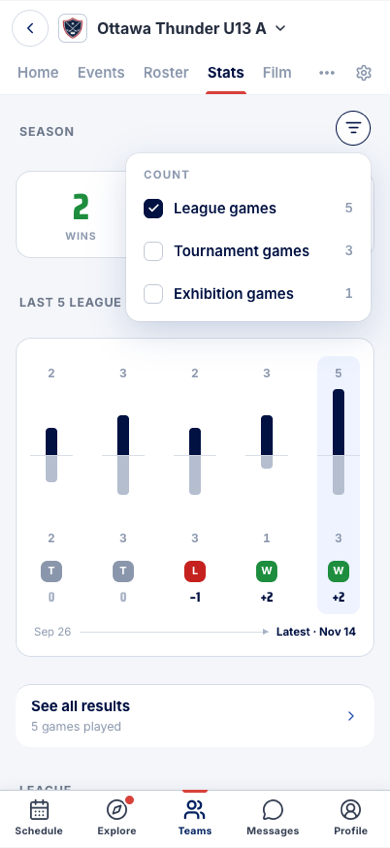
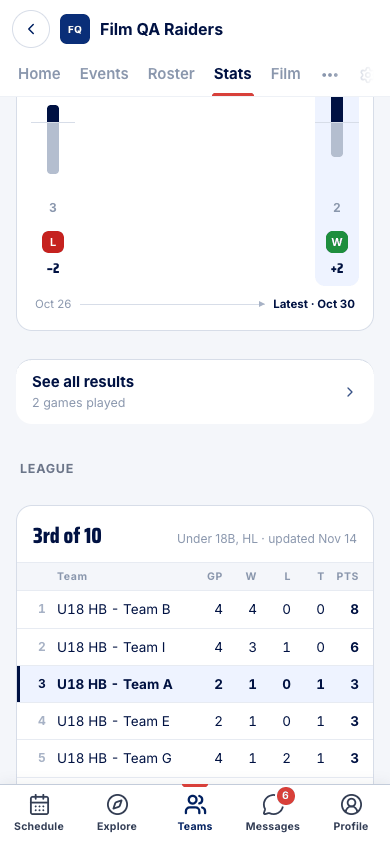
Teams → your team → Stats opens on the season so far: wins, losses and ties for league games, with the last few games drawn under them, us against them. Tap a number and the Past list opens filtered to just those games. The filter beside Season picks which games count: league, tournament, exhibition, or any mix. The record, the chart, Team numbers and Players all follow it, and the same three numbers sit on the team's Home page. When some of those games have no game sheet, Team numbers says how many and lists them.
- Points, goals, assists, penalty minutes
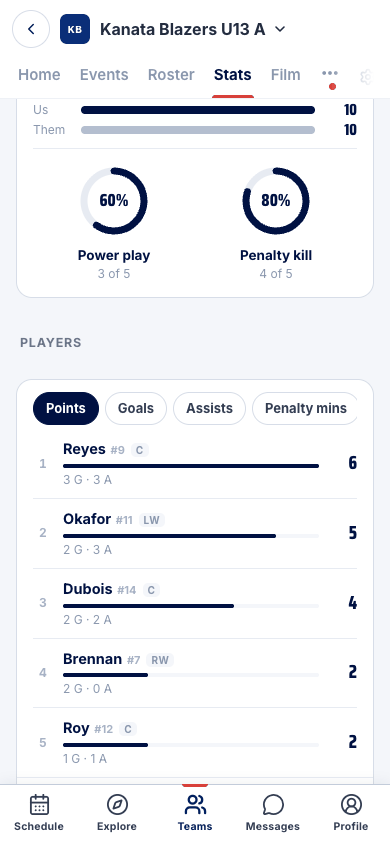
Further down the Stats tab, Players ranks the team. Pick Points, Goals, Assists or Penalty mins: the top five show, sorted by that number, with the rest of the line under each name. Show all players opens the whole roster; players with nothing yet are greyed. A name opens the player's card.
- The team's numbers
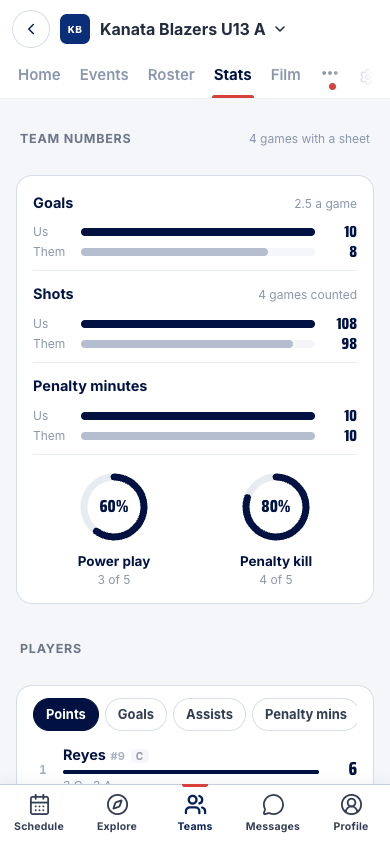
Team numbers, also on the Stats tab, is the team: goals for and against, shots when the sheets have them, penalty minutes, and power play and penalty kill percentages with the counts. The line beside the heading says how many games have a sheet. The League section above it holds the standings once the league is connected.
- Just the losses
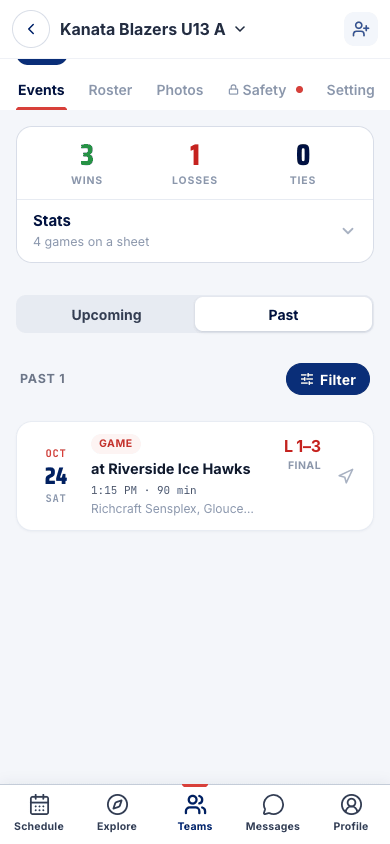
Tapping Losses on the card switches the list to Past with the Result filter set. The Filter sheet has the same choice — all results, wins, losses or ties — whenever you're on past games.
- Your player's line
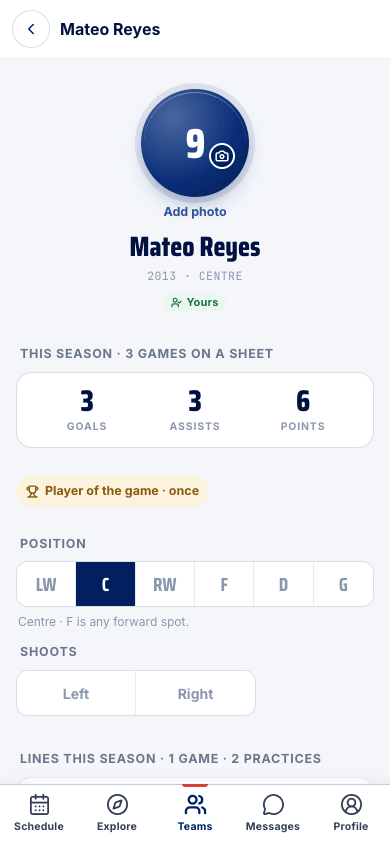
A player's card carries This season: games on a sheet, goals, assists and points. Penalty minutes stay on the sheets and the team's Stats tab, not on a kid's card. A Player of the game badge counts the votes won.
- The league finds your team
There is nothing to connect. PuckFinder matches your team to its league's website in the background and reads what the league publishes: final scores after each game, the standings, and game sheets where the league posts them. On the Stats tab, League shows each standings table with your team marked. A score someone typed is never overwritten.
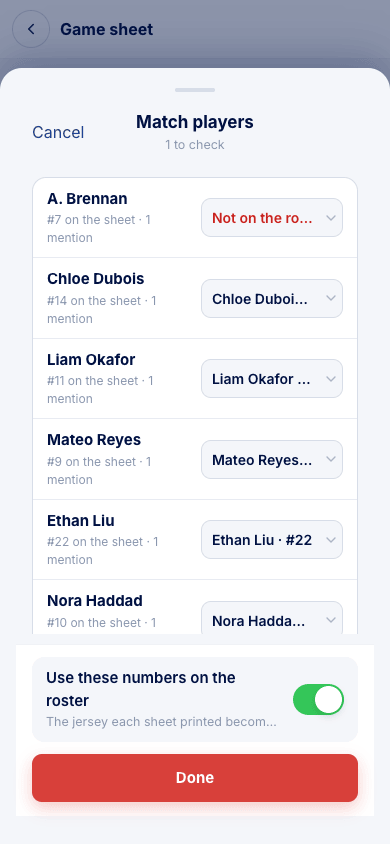
- Names to check (coaches and admins)
A sheet prints names and numbers as the league typed them. When one doesn't match the roster, the Game sheet row says 1 name to check and the sheet opens Match players: pick who it is, and the team remembers the pair. Use these numbers on the roster copies the sheet's jerseys onto the players, handy after a mid-season jersey change.
Good to know
- Where it comes from: your league's website, matched to your team by us. Some leagues post only scores and standings; full game sheets come in where the league publishes them. Tournament sites are not read; those sheets stay by hand or empty, and the season numbers count what's there.
- Wins and losses count league games unless you change the filter beside Season. Tournament and exhibition games are on the Past list either way; tick them in the filter to count them too.
- Nothing to see? The Stats tab is always there, but Team numbers, Players and the Game sheet row fill in only once a sheet exists. A team with no sheets shows the score alone.
- Who sees what: everyone on the team reads the sheets and the stats. Matching names and taking the league's score are for coaches and admins.
- Watch on YouTube: when the team's channel is set (Settings → Game film → YouTube channel) a game's stream or recording is linked on its own — PuckFinder checks the channel every minute around puck drop and hourly for uploads — and the game's card on the Schedule gets a Watch on YouTube row. Staff can paste a link by hand from the game page.
Stuck?
Email john@puckfinder.app — a real person, usually the same day.